1. හැඳින්වීම
Welcome to the user manual for your new HP 22" FHD All-in-One Desktop PC. This document provides essential information to help you set up, operate, maintain, and troubleshoot your computer. Please read this manual thoroughly to ensure optimal performance and longevity of your device.
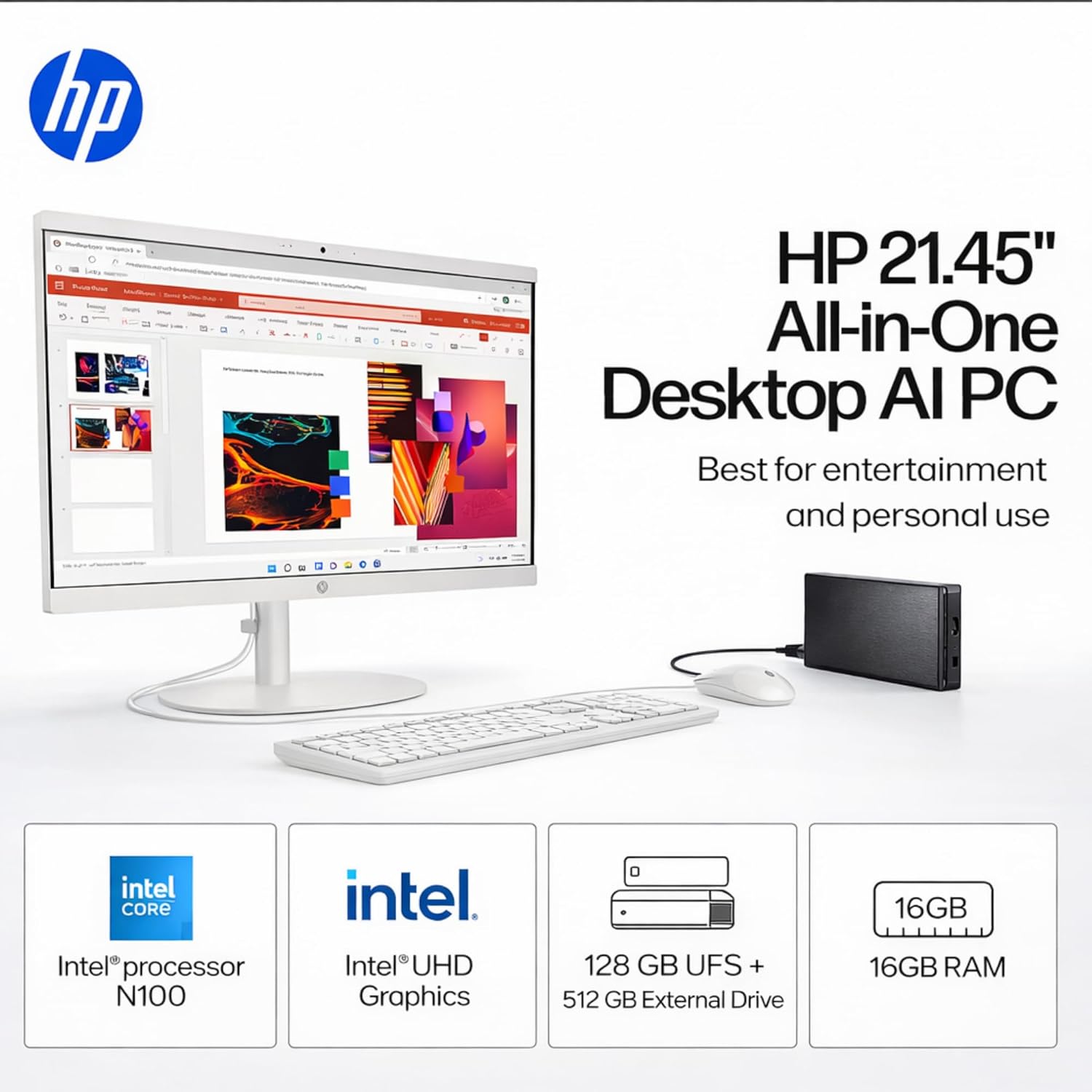
Figure 1: The HP 22 inch All-in-One Desktop PC, showcasing its sleek design with the included wired keyboard and mouse.
2. සැකසුම් මාර්ගෝපදේශය
2.1 Unboxing Your PC
ඇසුරුම්කරණයෙන් සියලුම සංරචක ප්රවේශමෙන් ඉවත් කරන්න. පෙට්ටියේ පහත අයිතම අඩංගු විය යුතුය:
- HP 22" All-in-One Desktop PC
- Computer Stand (base and arm)
- රැහැන්ගත USB යතුරු පුවරුව
- කම්බි සහිත USB මූසිකය
- බල ඇඩැප්ටරය සහ කේබල්
- USB Hard Drive and Cable (external storage)
- ඉක්මන් ආරම්භක මාර්ගෝපදේශය සහ ලියකියවිලි
2.2 ස්ථාවරය එකලස් කිරීම
- Attach the stand arm to the stand base. Ensure it clicks securely into place.
- Carefully align the assembled stand with the mounting points on the back of the HP All-in-One PC.
- Gently push the PC onto the stand until it locks securely.
2.3 සම්බන්ධක පර්යන්ත
Connect the wired keyboard and mouse to the available USB Type-A ports on the back of the computer.
2.4 Powering On Your PC
- Connect the power cable to the power adapter, then plug the adapter into the power port on the back of the PC.
- විදුලි රැහැනේ අනෙක් කෙළවර බිත්ති අලෙවිසැලකට සම්බන්ධ කරන්න.
- Press the power button, usually located on the bottom right side of the display, to turn on your PC.
- භාෂාව, කලාපය, ජාල සම්බන්ධතාවය සහ පරිශීලක ගිණුම් නිර්මාණය ඇතුළුව Windows 11 ආරම්භක සැකසුම සම්පූර්ණ කිරීමට තිරයේ ඇති උපදෙස් අනුගමනය කරන්න.

රූපය 2: සමීප රූපයක් view of the HP All-in-One PC highlighting its wireless connectivity features, USB Type-C port, Full HD display, and anti-glare panel.
3. ඔබේ පරිගණකය ක්රියාත්මක කිරීම
3.1 සංදර්ශක විශේෂාංග
Your HP All-in-One PC features a 21.5" Full HD (1920x1080) IPS display with an anti-glare coating. This provides sharp visuals and comfortable viewing by reducing reflections. The display also includes low blue light and flicker-free technology for reduced eye strain.
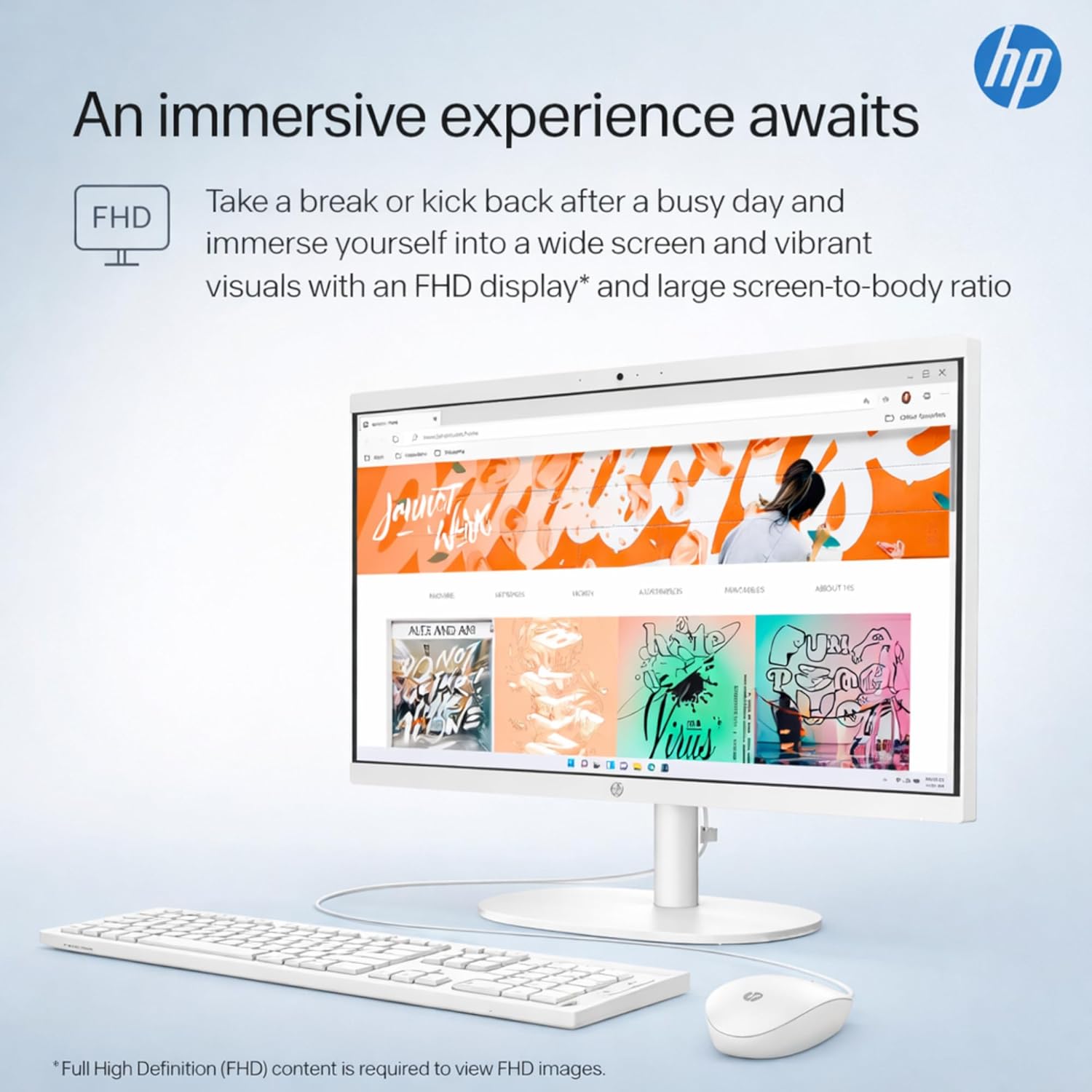
Figure 3: The HP All-in-One PC showcasing its Full HD display with vibrant colors, illustrating an immersive viewඅත්දැකීමෙන්.
3.2 සකසනය සහ කාර්ය සාධනය
Equipped with a 13th Gen Intel N100 Processor (4 cores, up to 3.4GHz) and 16GB DDR5 RAM, your PC delivers efficient performance for everyday computing, multitasking, and web browsing. The integrated Intel UHD Graphics handles visual tasks smoothly.
3.3 ගබඩා කිරීම
The system includes 128GB UFS internal storage and a 512GB external flash drive, providing a total of 640GB storage for your documents, applications, and media.
3.4 සම්බන්ධතාවය
Your PC offers a variety of ports and wireless options:
- USB Type-C: 1x (5Gbps, data transfer only)
- USB වර්ගය-A: 2x Hi-Speed, 1x (5Gbps)
- ශ්රව්ය: 1x 3.5mm headphone/microphone combo jack
- ජාලය: 1x RJ-45 ඊතර්නෙට් වරාය
- වීඩියෝ ප්රතිදානය: 1x HDMI-අවුට්
- රැහැන් රහිත: WiFi 6 සහ බ්ලූටූත් 5.3

රූපය 4: සවිස්තරාත්මක view of the rear of the HP All-in-One PC, indicating the locations of the USB Type-C, HDMI Out, and RJ-45 ports, along with other additional ports.
3.5 ශ්රව්ය සහ Webකැම්
ඒකාබද්ධ HD webcam features a privacy shutter for enhanced security during video calls. Dual built-in microphones ensure clear audio input, complemented by high-definition stereo speakers for immersive sound output.

Figure 5: A user engaged in a video conference on the HP All-in-One PC, emphasizing the AI noise reduction feature for clear communication.
3.6 පෙර-ස්ථාපිත මෘදුකාංග
Your PC comes with Windows 11 Home operating system and Microsoft Office 365 for the Web, providing essential productivity tools and a modern user experience.
4. නඩත්තු කිරීම
4.1 ඔබේ පරිගණකය පිරිසිදු කිරීම
- තිරය: මෘදු, ලින්ට් රහිත රෙද්දක් සැහැල්ලුවෙන් භාවිතා කරන්නampජලය හෝ තිර පිරිසිදු කරන්නෙකු සමඟ ආලේප කර ඇත. තිරය මතට කෙලින්ම පිරිසිදුකාරකය ඉසින්න එපා.
- බාහිර: Wipe the surfaces with a soft, dry cloth. Avoid abrasive cleaners.
- කුටි: Periodically clean dust from the ventilation openings using compressed air to ensure proper airflow and prevent overheating.
4.2 මෘදුකාංග යාවත්කාලීන
Regularly check for and install operating system and driver updates to ensure your PC has the latest security patches and performance enhancements. Windows Update can be accessed via the Settings menu.
5. දෝශ නිරාකරණය
If you encounter issues with your HP All-in-One PC, refer to the following common solutions:
- බලය නැත: Ensure the power cable is securely connected to both the PC and the wall outlet. Try a different outlet.
- සංදර්ශකය නැත: Check that the PC is powered on. If an external monitor is connected, ensure the correct input source is selected on the monitor.
- යතුරුපුවරුව/මූසිකය ප්රතිචාර නොදක්වයි: Verify that the USB cables are firmly plugged into the PC's USB ports. Try connecting them to different USB ports.
- අන්තර්ජාල සම්බන්ධතාවයක් නොමැත: Check your Wi-Fi connection or ensure the Ethernet cable is properly connected. Restart your router/modem.
- මන්දගාමී කාර්ය සාධනය: Close unnecessary applications, check for background processes, and ensure your system is up to date. Consider running a disk cleanup.
වඩාත් සංකීර්ණ ගැටළු සඳහා, HP සහාය අමතන්න. webඅඩවියට පිවිසෙන්න හෝ HP පාරිභෝගික සේවාව අමතන්න.
6. පිරිවිතර
Detailed technical specifications for your HP 22" FHD All-in-One Desktop PC:
| විශේෂාංගය | පිරිවිතර |
|---|---|
| ආදර්ශ අංකය | 22aio |
| ප්රොසෙසරය | 13th Gen Intel N100 (4 cores, up to 3.4GHz, 6MB cache) |
| ග්රැෆික්ස් | Integrated Intel UHD Graphics |
| RAM | 16 GB DDR5 SO-DIMM |
| ගබඩා කිරීම | 128GB UFS Internal + 512GB External Flash Drive (Total 640GB) |
| ප්රදර්ශනය කරන්න | 21.5" Full HD (1920x1080) IPS, Anti-glare, 60Hz, Low Blue Light, Flicker-free |
| ශ්රව්ය උපකරණ | High-Definition stereo speakers |
| Webකැම් | HD webcam with privacy shutter, built-in dual microphone |
| යතුරු පුවරුව සහ මූසිකය | Traditional Wired USB Keyboard & Mouse |
| වරායන් | 1x USB Type-C (5Gbps, data transfer only), 2x USB Type-A (Hi-Speed), 1x USB Type-A (5Gbps), 1x 3.5mm headphone/microphone combo, 1x RJ-45 Ethernet, 1x HDMI-out |
| රැහැන් රහිත සම්බන්ධතාව | වයිෆයි 6, බ්ලූටූත් 5.3 |
| මෙහෙයුම් පද්ධතිය | Windows 11 Home |
| බල සැපයුම | 65-Watt AC adapter |
| මානයන් (H x W x D) | ආසන්න වශයෙන්. 15.8 x 19.3 x 6.5 අඟල් (39.9 x 49.0 x 16.5 cm) |
| බර | රාත්තල් 10.5 (කිලෝග්රෑම් 4.76) පමණ |
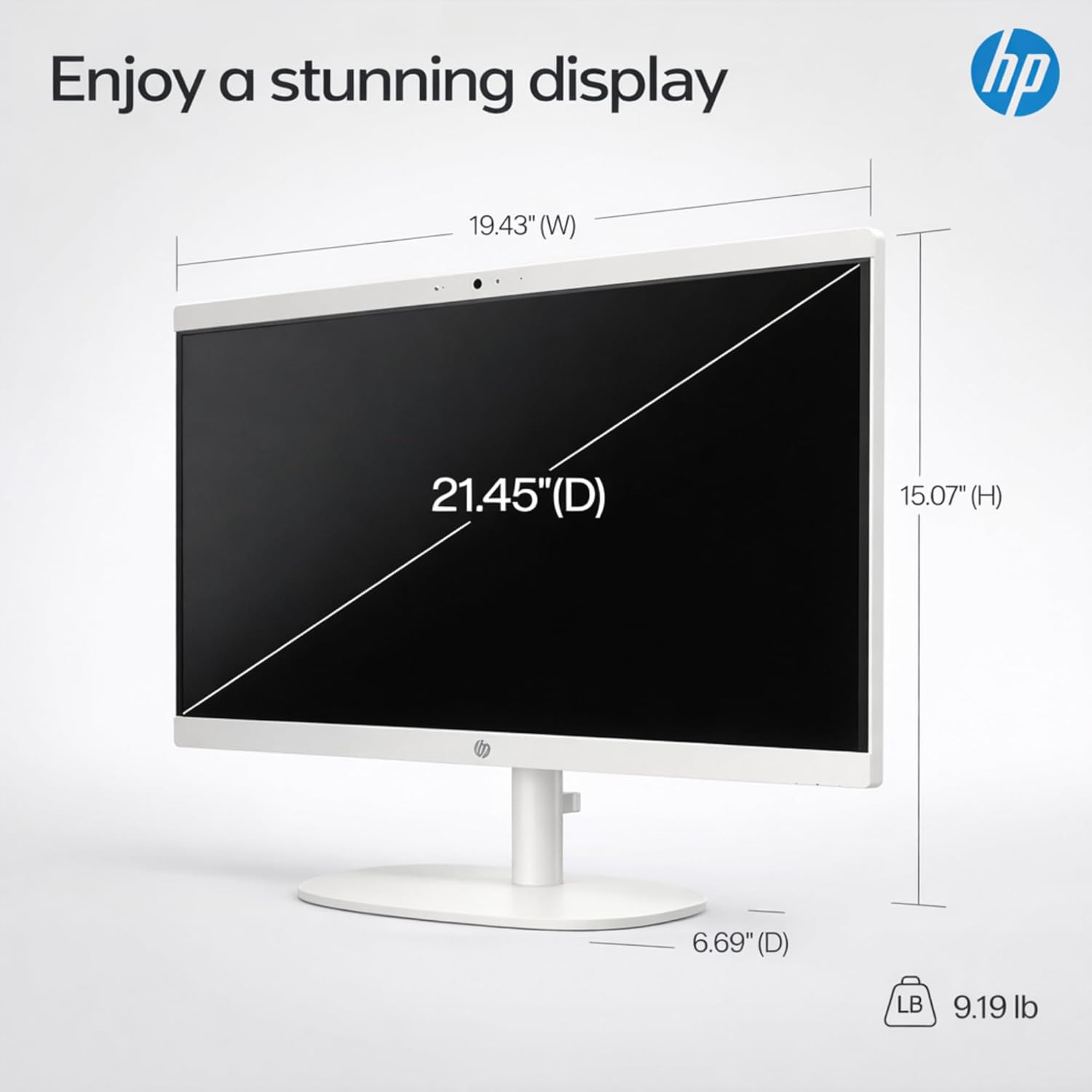
Figure 6: A diagram illustrating the physical dimensions of the HP All-in-One PC's 21.45-inch display, including width, height, and depth.
7. වගකීම් සහ සහාය
For warranty information, please refer to the documentation included with your purchase or visit the official HP support website. HP provides various support resources, including drivers, troubleshooting guides, and contact options for technical assistance.