හැඳින්වීම
Thank you for choosing the occiam T19 Wireless Earbuds. This manual provides essential information for the proper setup, operation, and maintenance of your earbuds. Please read it carefully before use to ensure optimal performance and longevity of your device.
පැකේජයේ අන්තර්ගතය
ඔබගේ පැකේජයේ සියලුම අයිතම ඇති බව තහවුරු කරගන්න:
- occiam T19 Wireless Earbuds (Left and Right)
- අයකිරීමේ නඩුව
- USB-C ආරෝපණ කේබලය
- කන් ඉඟි (කුඩා, මධ්යම, විශාල)
- පරිශීලක අත්පොත
නිෂ්පාදනය අවසන්view
Familiarize yourself with the components of your occiam T19 Wireless Earbuds.

The occiam T19 Wireless Earbuds are shown in their open charging case, highlighting the over-ear hook design and the digital battery display on the case.

A single occiam T19 earbud is depicted with a visual representation of sound waves, emphasizing its powerful dynamic audio capabilities.

A woman is shown wearing an occiam T19 earbud, demonstrating its secure over-ear hook fit. The image also displays flexible ear hooks and three sizes of ear tips (L, M, S) for customizable comfort.
සැලසුම
1. ඉයර්බඩ් සහ කේස් ආරෝපණය කිරීම
පළමු භාවිතයට පෙර, ඉයර්බඩ් සහ ආරෝපණ පෙට්ටිය සම්පූර්ණයෙන්ම ආරෝපණය කරන්න.
- ඉයර්බඩ් ආරෝපණ පෙට්ටියට දමන්න. ඒවා නිවැරදිව සවි කර ඇති බවට වග බලා ගන්න.
- Connect the USB-C charging cable to the charging port on the case and to a power source (e.g., USB wall adapter, computer USB port).
- The digital display on the charging case will indicate the battery level. Allow sufficient time for a full charge.

An illustration detailing the battery life of the occiam T19 earbuds: 48 hours total with the charging case for two earbuds, 90 hours for one earbud with the case, and 8 hours per earbud on a single charge. Also indicates Type-C charging.
2. බ්ලූටූත් උපාංගයක් සමඟ යුගල කිරීම
Follow these steps to connect your earbuds to your smartphone or other Bluetooth-enabled device.
- ආරෝපණ පෙට්ටිය විවෘත කරන්න. ඉයර්බඩ් ස්වයංක්රීයව යුගල කිරීමේ ප්රකාරයට ඇතුළු වනු ඇත, එය ඉයර්බඩ් මත දැල්වෙන LED ආලෝකයක් මඟින් දැක්වේ.
- ඔබගේ උපාංගයේ, බ්ලූටූත් සැකසුම් වෙත ගොස් බ්ලූටූත් ක්රියාත්මක කරන්න.
- ඒ සඳහා සොයන්න available devices. Select "T19" from the list.
- Once connected, the LED indicator on the earbuds will stop flashing.

The occiam T19 earbuds are shown next to a smartphone displaying Bluetooth settings, illustrating the one-step pairing process with Bluetooth V5.3.
ක්රියාත්මක වෙනවා
ඉයර්බඩ් පාලන
The occiam T19 earbuds feature intuitive touch controls for various functions.
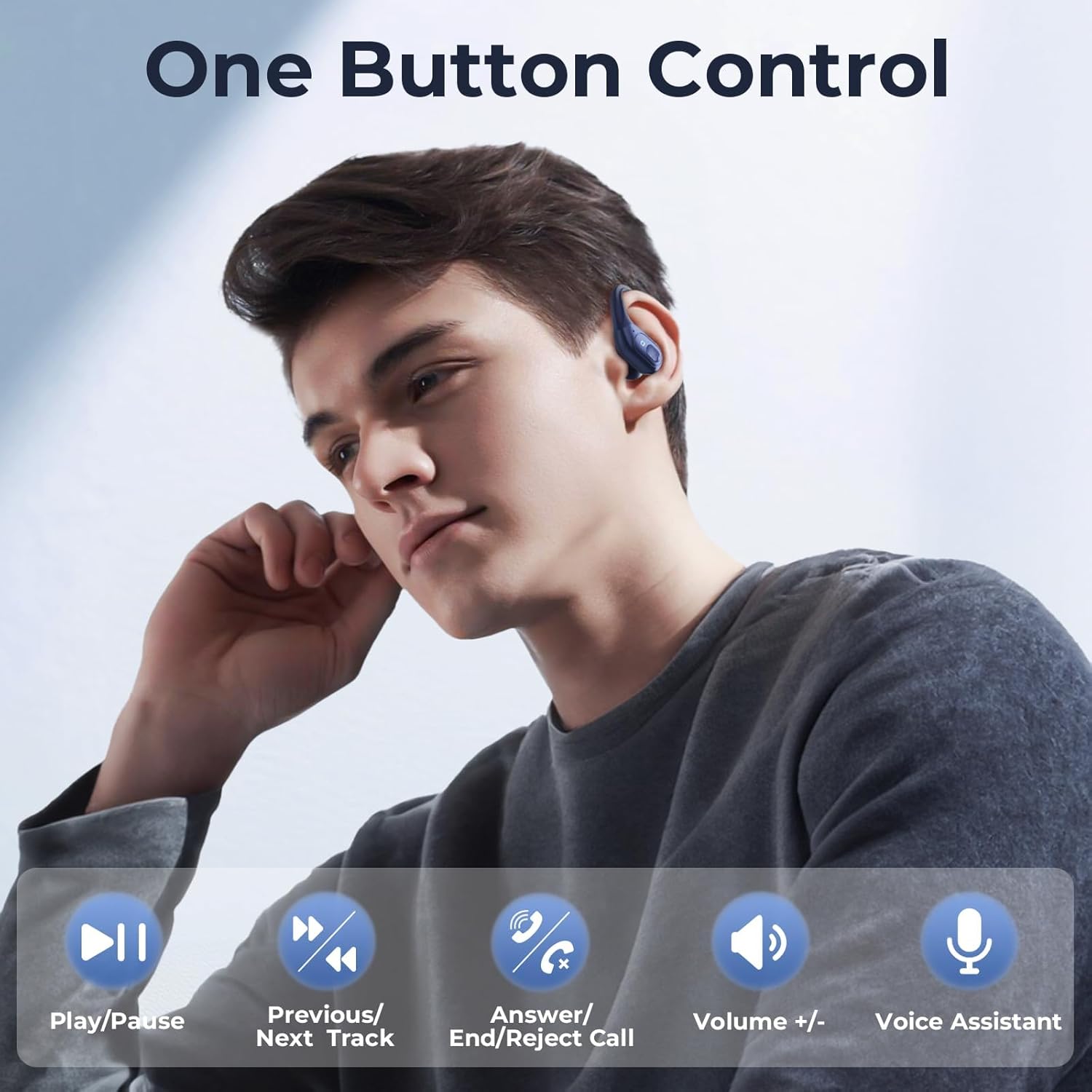
A man is shown wearing an occiam T19 earbud, with icons illustrating the one-button control functions: Play/Pause, Previous/Next Track, Answer/End/Reject Call, Volume +/-, and Voice Assistant.
- වාදනය/විරාමය: ඉයර්බඩ් දෙකෙන් එකක් මත එක තට්ටු කරන්න.
- පෙර ධාවන පථය: වම් ඉයර්බඩ් එක තුන් වරක් තට්ටු කරන්න.
- ඊළඟ ධාවන පථය: දකුණු ඉයර්බඩ් එක තුන් වරක් තට්ටු කරන්න.
- පිළිතුර/අවසන් ඇමතුම: එන ඇමතුමක් හෝ සක්රිය ඇමතුමක් අතරතුර ඉයර්බඩ් දෙකෙන් එකක් මත තනි තට්ටු කරන්න.
- ඇමතුම ප්රතික්ෂේප කරන්න: ලැබෙන ඇමතුමක් අතරතුර ඉයර්බඩ් දෙකෙන් එකක් තත්පර 2ක් ඔබාගෙන සිටින්න.
- පරිමාව: දකුණු ඉයර්බඩ් එක දෙවරක් තට්ටු කරන්න.
- ශබ්දය පහළට: වම් ඉයර්බඩ් එක දෙවරක් තට්ටු කරන්න.
- හ oice සහකාර සක්රිය කරන්න: (ඇමතුමක නොමැති විට) ඉයර්බඩ් දෙකෙන් එකක් තත්පර 2ක් ඔබාගෙන සිටින්න.
නඩත්තු කිරීම
නිසි සැලකිල්ල ඔබේ ඉයර්බඩ් වල ආයු කාලය සහ ක්රියාකාරිත්වය සහතික කරයි.
- පිරිසිදු කිරීම: මෘදු, වියලි, ලින්ට් රහිත රෙද්දකින් ඉයර්බඩ් සහ ආරෝපණ පෙට්ටිය නිතිපතා පිරිසිදු කරන්න. රළු රසායනික ද්රව්ය හෝ උල්ෙල්ඛ ද්රව්ය භාවිතා නොකරන්න.
- කන් ඉඟි: අවශ්ය නම් කන් ඉඟි ඉවත් කර මෘදු සබන් හා වතුරෙන් පිරිසිදු කරන්න. නැවත සවි කිරීමට පෙර ඒවා සම්පූර්ණයෙන්ම වියළී ඇති බවට වග බලා ගන්න.
- ගබඩා: භාවිතයේ නොමැති විට, දූවිලි හා හානිවලින් ආරක්ෂා වීමට ඉයර්බඩ් ඒවායේ ආරෝපණ පෙට්ටියේ ගබඩා කරන්න.
- තෙතමනය වළක්වා ගන්න: While designed for workouts, avoid submerging the earbuds in water. Dry them thoroughly if they get wet from sweat or light rain.
දෝෂගවේෂණය
ඔබට ගැටළු ඇති වුවහොත්, පහත පොදු විසඳුම් වෙත යොමු වන්න:
| ගැටලුව | විසඳුම |
|---|---|
| ඉයර්බඩ් යුගල නොවේ |
|
| එක් ඉයර්බඩ් එකක් පමණක් ක්රියා කරයි |
|
| අඩු ශබ්දය හෝ දුර්වල ශබ්ද ගුණාත්මකභාවය |
|
| ආරෝපණ නඩුව ආරෝපණය නොවේ |
|
පිරිවිතර
| විශේෂාංගය | විස්තර |
|---|---|
| ආදර්ශ අංකය | T19 |
| වෙළඳ නාමය | ඔක්කම් |
| නිෂ්පාදන මානයන් | අඟල් 4.41 x 2.97 x 1.69 |
| අයිතමයේ බර | අවුන්ස 5 කි |
| බ්ලූටූත් තාක්ෂණය | ඔව් |
| ශබ්ද පාලන විශේෂාංග | ක්රියාකාරී ශබ්ද අවලංගු කිරීම |
| වර්ණය | තද නිල් |
| නිෂ්පාදකයා | ඔක්කම් |
වගකීම් සහ සහාය
occiam products are designed for reliability and performance. For warranty information or technical support, please refer to the warranty card included in your package or visit the official occiam webවෙබ් අඩවිය. ඕනෑම වගකීම් හිමිකම් පෑමක් සඳහා කරුණාකර ඔබේ මිලදී ගැනීමේ සාක්ෂි තබා ගන්න.


