හැඳින්වීම
This manual provides essential information for the safe and efficient operation of your GooDee 4K UHD Smart Projector. Please read it thoroughly before using the device and retain it for future reference. This projector integrates Google TV, AI voice control, advanced connectivity, and automatic image adjustments for a premium viewඅත්දැකීමෙන්.
පෙට්ටියේ ඇති දේ
පෙට්ටියෙන් ඉවත් කිරීමේදී සියලුම අයිතම තිබෙන බව තහවුරු කරගන්න:
- විදුලි රැහැන්
- HDMI කේබලය
- ප්රොජෙක්ටර් කාච කවරය
- දුරස්ථ පාලකය
- පරිශීලක අත්පොත
නිෂ්පාදනය අවසන්view
Familiarize yourself with the physical components and features of your projector.
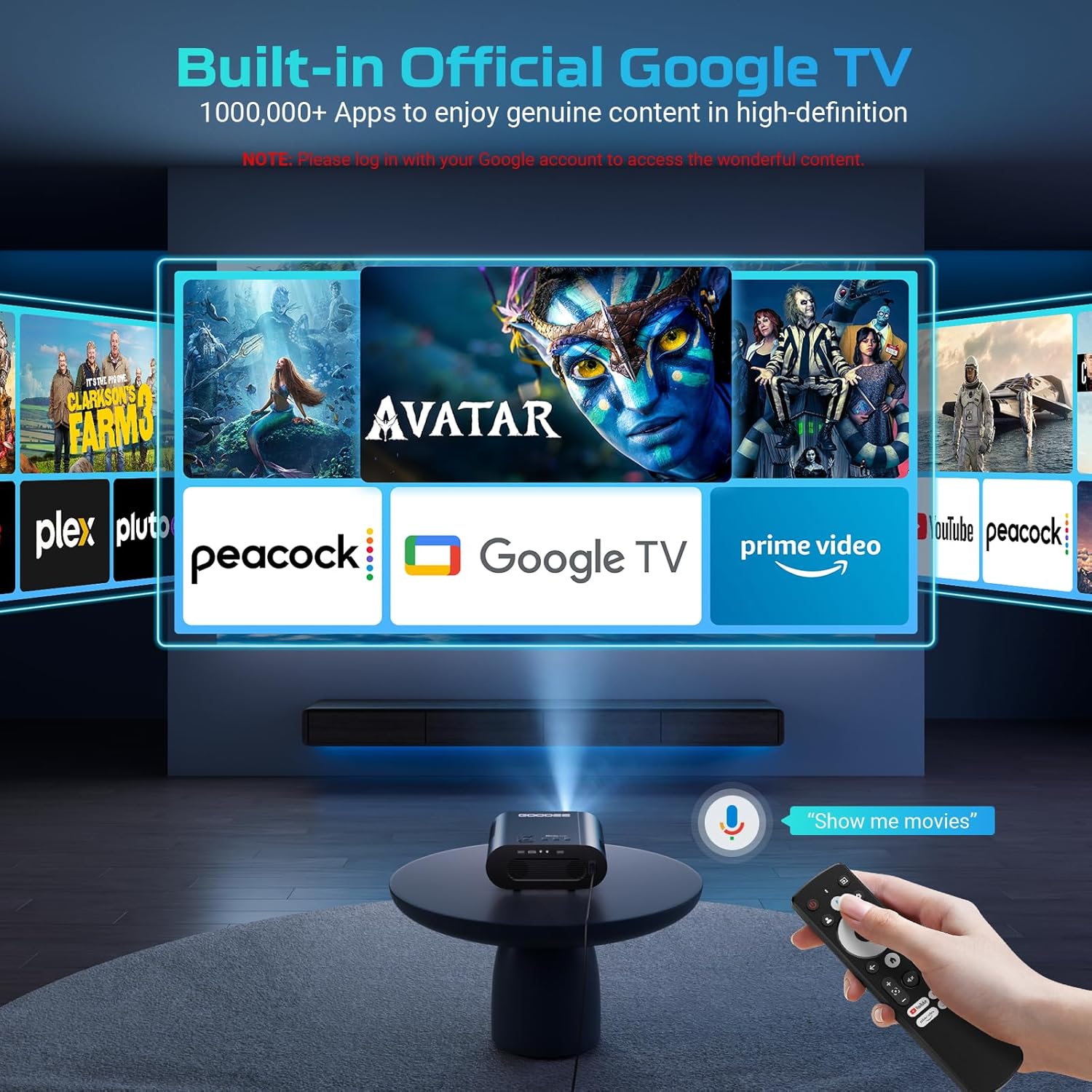
රූපය: The GooDee 4K UHD Smart Projector, showcasing its compact design and the Google TV interface projected onto a large screen, with the remote control visible in the foreground.
වරාය සහ සම්බන්ධතා

රූපය: සවිස්තරාත්මක view of the projector's rear panel, highlighting the HDMI, USB, and audio output ports for connecting external devices.
- HDMI ආදානය: Supports 4K resolution for connecting external media players, gaming consoles, or laptops.
- USB තොට (x2): For connecting USB flash drives to play media directly.
- ශ්රව්ය ප්රතිදානය (මි.මී. 3.5): බාහිර හෙඩ්ෆෝන් හෝ ස්පීකර් සම්බන්ධ කිරීම සඳහා.
- AV ආදානය: For connecting older devices using an AV cable.
- බල ආදානය: Standard AC 100-240V, 50/60Hz.
පාලන සහ ගැලපීම්
- Manual Focus/Keystone Dials: Located on the top of the projector for fine-tuning image clarity and shape.
- දුරස්ථ පාලක: Full-function remote with dedicated buttons for popular streaming apps (Netflix, YouTube, Prime Video) and Google Assistant voice control.
- සවිකරන නූල්: A 1/4-inch thread on the bottom allows for tripod or ceiling mounting. An adjustable bolt is also present for desktop angle adjustment.
සැකසුම් මාර්ගෝපදේශය
Follow these steps for initial setup and configuration.
1. මූලික බලය සක්රිය කිරීම
- විදුලි රැහැන ප්රොජෙක්ටරයට සහ විදුලිබල ජාලයකට සම්බන්ධ කරන්න.
- උපාංගය ක්රියාත්මක කිරීමට ප්රොජෙක්ටරයේ හෝ දුරස්ථ පාලකයේ බල බොත්තම ඔබන්න.
- The projector will boot up and display the initial setup screen.
2. Wi-Fi වෙත සම්බන්ධ වීම
- On the setup screen, select your preferred language.
- Navigate to the Wi-Fi settings and select your home network.
- තිරයේ යතුරු පුවරුව සහ දුරස්ථ පාලකය භාවිතයෙන් ඔබගේ Wi-Fi මුරපදය ඇතුළත් කරන්න.
- Once connected, the projector will guide you through Google TV setup, including signing in with your Google account.

රූපය: The projector displaying the Google TV home screen, showing popular streaming applications like YouTube, Prime Video, and Hulu, indicating successful Wi-Fi and Google TV setup.
3. Image Adjustment (Auto Focus & Keystone)
The projector features Smart AI Setup for automatic image correction.
රූපය: The projector demonstrating its AI Auto Focus and Auto Keystone Correction features, ensuring a clear and perfectly shaped image on the screen.
- The projector will automatically detect and correct image distortion and focus upon startup or movement.
- For manual adjustments, use the focus and keystone dials on the projector or the corresponding buttons on the remote control.
- Zoom & Shift: Adjust the screen size from 50% to 100% and reposition the image using the remote control settings.
4. බාහිර උපාංග සම්බන්ධ කිරීම
- HDMI: Connect your device to the HDMI port. The projector will automatically switch to the HDMI input.
- USB: Insert a USB flash drive into a USB port. The media player app will usually launch automatically.
- බ්ලූටූත්: Navigate to the Bluetooth settings in the Google TV menu to pair with external Bluetooth speakers or headphones.
මෙහෙයුම් උපදෙස්
ඔබගේ උපරිම කරන්න viewing experience with the projector's smart features.
ගූගල් ටීවී අතුරුමුහුණත
The projector comes with officially authorized Google TV, providing access to over 1,000,000 applications.
වීඩියෝ: An official GooDee video demonstrating the Google TV interface and its seamless navigation, highlighting the integration of various streaming services and apps.
- The home screen displays recommended content and your installed apps.
- Navigate using the directional pad on the remote control.
- Access the App Store to download additional applications.
AI Smart Voice Assistant
Use your voice to control the projector and access content quickly.

රූපය: A user holding the remote control and speaking into it, demonstrating the AI Smart Voice Assistant feature to control the projector and search for content.
- Press and hold the voice control button (microphone icon) on your remote.
- Speak your command clearly, such as "Open Netflix," "ඒ සඳහා සොයන්න movies," or "Adjust volume."
- The projector will execute the command or display relevant search results.
ප්රවාහ යෙදුම්
Enjoy a wide range of entertainment directly from your projector.
- Popular apps like YouTube, Prime Video, Hulu, and Disney+ are readily available.
- Ensure you are logged into your respective accounts for full access to content.
Image & Sound Settings
ඔබේ අභිරුචිකරණය කරන්න viewing සහ සවන්දීමේ අත්දැකීම.
පින්තූර සැකසුම්
- Access picture settings via the Google TV menu.
- Choose from preset modes: Standard, Vivid, Movie, or Game.
- Utilize the Custom mode to manually adjust Contrast, Saturation, Sharpness, Color Temperature, and Gamma.
ශබ්ද සැකසුම්

රූපය: The projector highlighting its Bluetooth 5.2 and Dolby Audio capabilities, showing a cinematic setup with external speakers for an immersive sound experience.
- The projector features dual 15W speakers with Dolby Audio for 360° surround sound.
- Select from sound modes: Standard, Movie, Music, or Sport.
- Adjust advanced sound controls, including surround sound and expert settings.
නඩත්තු කිරීම
නිසි නඩත්තුව ඔබේ ප්රොජෙක්ටරයේ ආයු කාලය සහ ප්රශස්ත ක්රියාකාරිත්වය සහතික කරයි.
- කාච පිරිසිදු කිරීම: Use the provided lens cloth to gently wipe the projector lens. Avoid abrasive materials or harsh chemicals.
- දූවිලි ඉවත් කිරීම: Regularly clean the air inlet and outlet vents to prevent dust buildup, which can affect performance and lead to overheating.
- ගබඩා: When not in use, cover the lens with the provided lens cap and store the projector in a cool, dry place.
දෝෂගවේෂණය
පොදු ගැටළු සඳහා විසඳුම් සඳහා මෙම කොටස බලන්න.
| කලාපය | හැකි විසඳුම |
|---|---|
| බොඳ රූපය | Adjust the focus manually using the dial or remote. Ensure the projector is placed at an optimal distance from the screen. |
| විකෘති රූපය (ට්රේප්සොයිඩ්) | Use the auto keystone correction feature or manually adjust keystone via the remote control settings. |
| Wi-Fi සම්බන්ධතාවයක් නොමැත | Check your Wi-Fi password and ensure the projector is within range of your router. Restart the projector and router if necessary. |
| ශබ්දයක් නැත | Check volume levels on the projector and any connected external audio devices. Ensure correct audio output settings are selected. |
| දුරස්ථ පාලකය ප්රතිචාර නොදක්වයි | Ensure batteries are correctly inserted and charged. Re-pair the remote control if necessary (refer to remote's specific instructions). |
පිරිවිතර
| විශේෂාංගය | විස්තර |
|---|---|
| නිෂ්පාදන මානයන් | අඟල් 16.9 x 31.6 x 12.7 |
| අයිතමයේ බර | රාත්තල් 4.24 කි |
| සංදර්ශක විභේදනය | 1920 x 1080 (Native 1080P, 4K support) |
| සම්බන්ධතා තාක්ෂණය | Dual-Band Wi-Fi 6, Bluetooth 5.2, HDMI, USB, AV |
| විශේෂ ලක්ෂණ | Built-in Google TV, AI Smart Voice Assistant, Auto Focus, Auto Keystone Correction, Dolby Audio, 50%-100% Zoom |
| නිර්දේශිත භාවිතයන් | Home Cinema, Indoor/Outdoor Entertainment |
වගකීම් සහ සහාය
For warranty information, technical support, or service inquiries, please refer to the contact details provided in your product packaging or visit the official GooDee webඅඩවිය.


