1. නිෂ්පාදන අවසන්view
The OPPO Find X9 5G 2025 (CPH2797) is a high-performance smartphone designed for exceptional clarity and responsiveness. It features a 120Hz Pro XDR screen, ensuring smooth and vibrant visuals in various lighting conditions. This manual provides essential information for setting up, operating, maintaining, and troubleshooting your device.
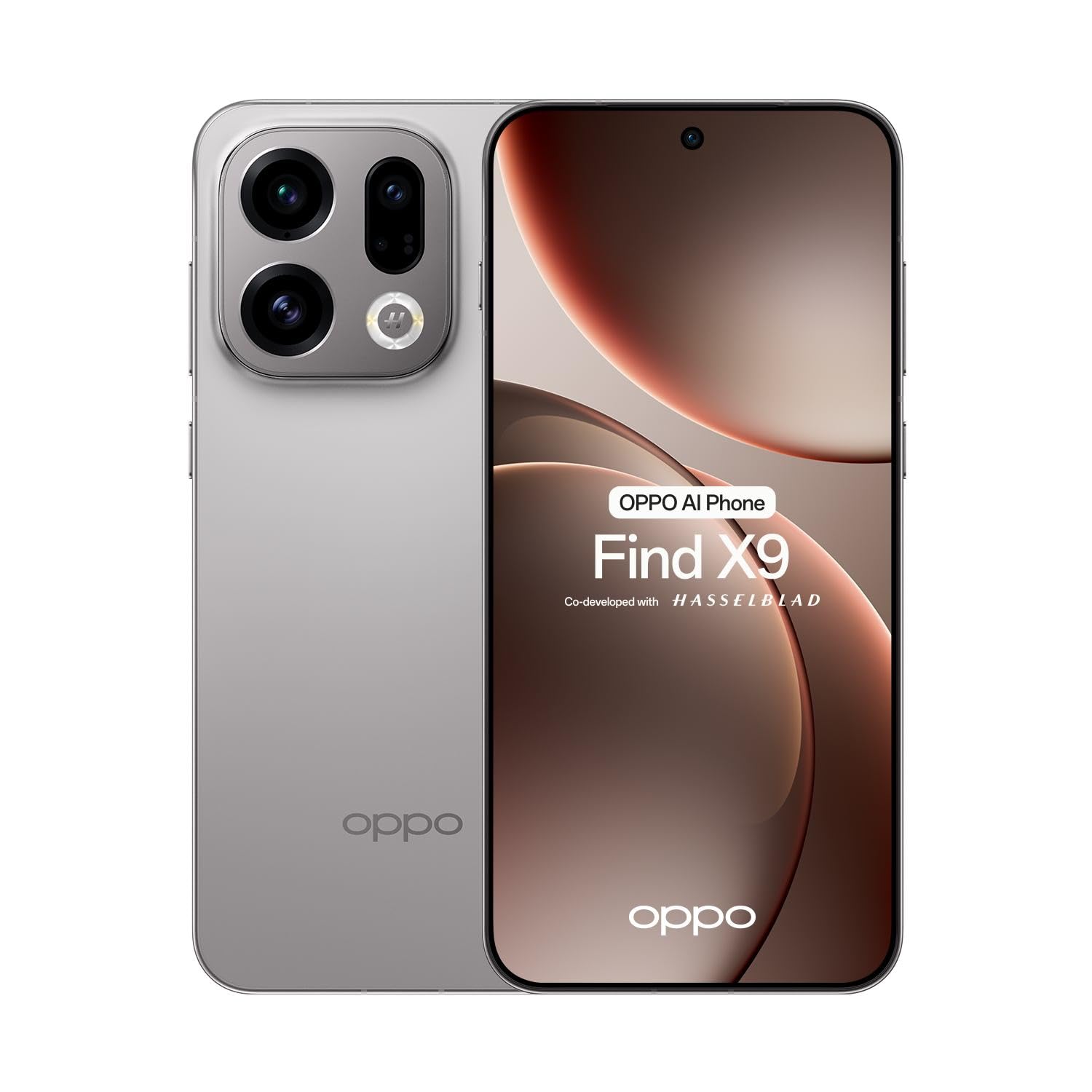
රූපය 1.1: ඉදිරිපස view of the OPPO Find X9 5G 2025 smartphone.
2. පිහිටුවීම
2.1 පෙට්ටි ඉවත් කිරීම සහ මූලික පරීක්ෂාව
ඇසුරුම්කරණයෙන් සියලුම අයිතම ප්රවේශමෙන් ඉවත් කරන්න. සියලුම සංරචක තිබේදැයි පරීක්ෂා කරන්න:
- OPPO Find X9 5G 2025 Smartphone
- USB Type-C කේබලය
- බල ඇඩැප්ටරය
- SIM Ejector මෙවලම
- ඉක්මන් ආරම්භක මාර්ගෝපදේශය
- ආරක්ෂිත තොරතුරු
Inspect the device for any visible damage. If any damage is found, contact your retailer immediately.
2.2 සිම් කාඩ්පත් සවි කිරීම
The OPPO Find X9 5G 2025 supports dual SIM cards.
- උපාංගයේ පැත්තේ SIM කාඩ්පත් තැටිය සොයා ගන්න.
- තැටිය අසල ඇති කුඩා සිදුරට SIM ඉජෙක්ටර් මෙවලම ඇතුළු කර තැටිය පිටතට එන තුරු තදින් ඔබන්න.
- ඔබේ නැනෝ-සිම් කාඩ්පත් තැටියේ නම් කර ඇති තව් තුළට දමන්න, රන් සම්බන්ධතා පහළට මුහුණලා ඇති බව සහතික කර ගන්න.
- Carefully reinsert the SIM card tray into the device.
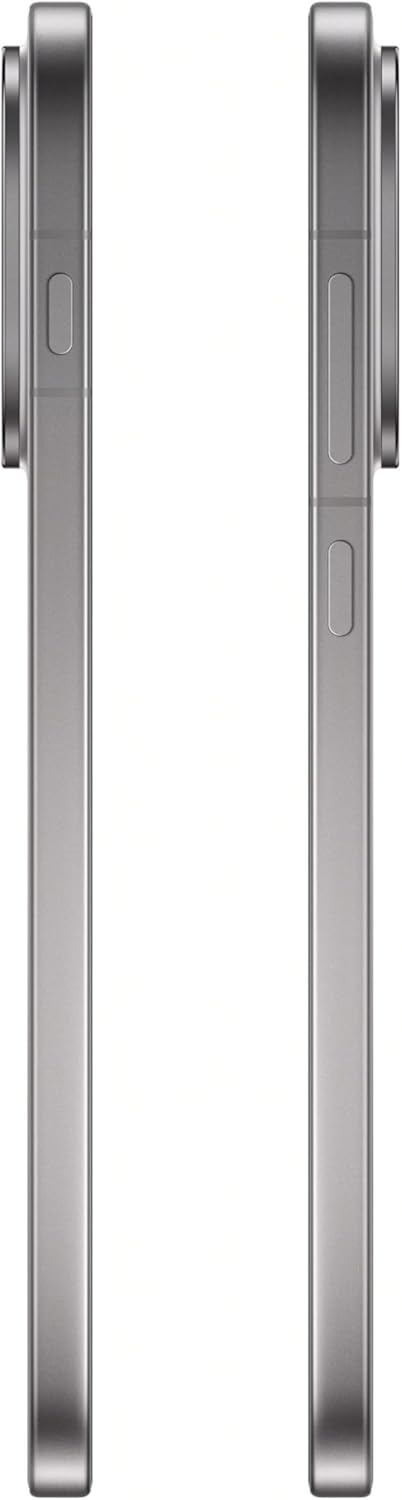
රූපය 2.1: පැත්ත view of the OPPO Find X9 5G 2025, showing the SIM card tray location.
2.3 මූලික බල සැපයුම සහ මූලික වින්යාසය
- Press and hold the Power button (located on the right side) until the OPPO logo appears.
- ඔබගේ භාෂාව, කලාපය තෝරා ගැනීමට සහ Wi-Fi ජාලයකට සම්බන්ධ වීමට තිරයේ ඇති විමසීම් අනුගමනය කරන්න.
- Google සේවාවන් සහ Play Store වෙත ප්රවේශ වීමට ඔබගේ Google ගිණුමෙන් පුරනය වන්න හෝ අලුත් එකක් සාදන්න.
- Set up your preferred screen lock method (PIN, pattern, password, fingerprint, or face unlock).
3. ඔබගේ උපාංගය ක්රියාත්මක කිරීම
3.1 සංචලනය
- මුල් තිරය: මුල් තිර අතර සැරිසැරීමට වමට හෝ දකුණට ස්වයිප් කරන්න.
- යෙදුම් ලාච්චුව: ස්ථාපනය කර ඇති සියලුම යෙදුම් වෙත ප්රවේශ වීමට තිරයේ පහළ සිට ඉහළට ස්වයිප් කරන්න.
- දැනුම්දීම් පැනලය: තිරයේ ඉහළ සිට පහළට ස්වයිප් කරන්න view දැනුම්දීම් සහ ඉක්මන් සැකසුම්.
- මෑත යෙදුම්: Swipe up and hold from the bottom of the screen (if using gesture navigation) or tap the square button (if using 3-button navigation) to see recently used applications.
3.2 ඇමතුම් සහ පණිවිඩ යැවීම
- ඇමතුමක් ගැනීම: දුරකථන යෙදුම විවෘත කර, අංකය ඇතුළත් කර, ඇමතුම් නිරූපකය තට්ටු කරන්න.
- පණිවිඩයක් යැවීම: Messages යෙදුම විවෘත කර, 'කතාබස් ආරම්භ කරන්න' තට්ටු කර, ලබන්නා ඇතුළත් කර, ඔබේ පණිවිඩය ටයිප් කරන්න.
3.3 කැමරා භාවිතය
The OPPO Find X9 5G 2025 features a versatile camera system.
- කැමරා යෙදුම විවෘත කරන්න.
- පතුලේ ස්වයිප් කිරීමෙන් ඔබට අවශ්ය මාදිලිය (ඡායාරූප, වීඩියෝ, ප්රතිමූර්තිය, රාත්රිය, ආදිය) තෝරන්න. viewසොයන්නා.
- ඡායාරූපයක් ගැනීමට හෝ වීඩියෝවක් පටිගත කිරීම ආරම්භ කිරීමට/නවත්වා ගැනීමට ෂටර් බොත්තම තට්ටු කරන්න.
- විශාලනය සකස් කිරීමට තිරයේ ඇති විශාලන පාලන භාවිතා කරන්න.
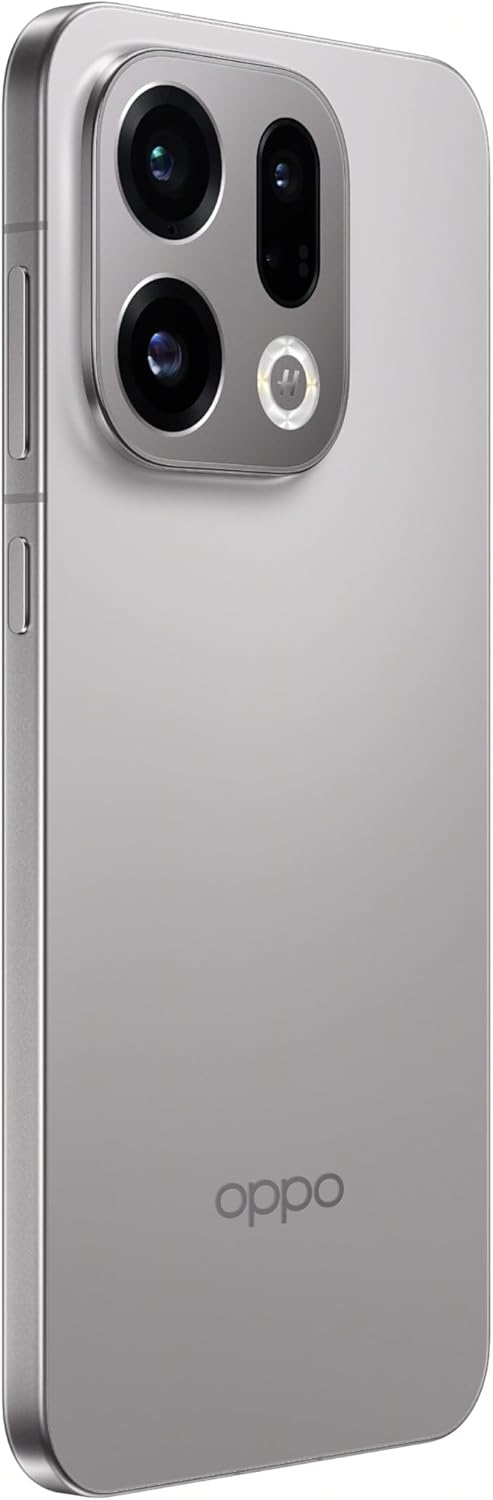
Figure 3.1: Rear camera system of the OPPO Find X9 5G 2025.
3.4 සම්බන්ධතාවය
- Wifi: පවතින ජාල වෙත සම්බන්ධ වීමට සැකසීම් > Wi-Fi වෙත යන්න.
- බ්ලූටූත්: Go to Settings > Bluetooth to pair with other Bluetooth devices.
- NFC: Enable NFC in Settings for contactless payments and data transfer.
- USB Type-C: ආරෝපණය කිරීම සහ දත්ත හුවමාරු කිරීම සඳහා USB Type-C port භාවිතා කරන්න.

රූපය 3.2: පහළ view of the OPPO Find X9 5G 2025, showing the USB Type-C port and speaker grille.
4. නඩත්තු කිරීම
4.1 ඔබගේ උපාංගය පිරිසිදු කිරීම
- තිරය සහ පිටුපස පුවරුව පිස දැමීමට මෘදු, ලින්ට් රහිත රෙද්දක් භාවිතා කරන්න.
- සැර රසායනික ද්රව්ය, උල්ෙල්ඛ ද්රව්ය හෝ එයරෙසෝල් ඉසින භාවිතා කිරීමෙන් වළකින්න.
- මුරණ්ඩු පැල්ලම් සඳහා, තරමක් dampen ජලය සහිත රෙදි හෝ ඉලෙක්ට්රොනික උපකරණ සඳහා නිර්මාණය කර ඇති තිර පිරිසිදු කරන්නා.
4.2 මෘදුකාංග යාවත්කාලීන
ප්රශස්ත කාර්ය සාධනය, ආරක්ෂාව සහ නව විශේෂාංග වෙත ප්රවේශය සහතික කිරීම සඳහා මෘදුකාංග යාවත්කාලීන කිරීම් නිතිපතා පරීක්ෂා කර ස්ථාපනය කරන්න.
- Go to Settings > About device > ColorOS version.
- Tap 'Check for updates' and follow the on-screen instructions.
4.3 බැටරි සත්කාර
- උපාංගය අධික උෂ්ණත්වයට නිරාවරණය කිරීමෙන් වළකින්න.
- බැටරිය නිතර නිතර සම්පූර්ණයෙන්ම බැස යාමට ඉඩ නොදෙන්න.
- ප්රශස්ත ආරෝපණය සඳහා මුල් චාජරය සහ කේබලය භාවිතා කරන්න.
4.4 ගබඩා කළමනාකරණය
To maintain device performance, regularly manage your storage:
- අනවශ්ය මකන්න fileවීඩියෝ, ඡායාරූප සහ වීඩියෝ.
- භාවිතයට නොගත් යෙදුම් අස්ථාපනය කරන්න.
- Clear cache data for apps in Settings > Apps > [App Name] > Storage usage.
5. දෝශ නිරාකරණය
This section addresses common issues you might encounter with your OPPO Find X9 5G 2025.
| ගැටලුව | විසඳුම |
|---|---|
| උපාංගය බලගන්වන්නේ නැත | Ensure the battery is charged. Connect the device to its charger for at least 15 minutes, then try powering it on again. If it still doesn't turn on, perform a force restart by holding the Power button and Volume Up button simultaneously for about 10-15 seconds. |
| තිරය ප්රතිචාර නොදක්වයි | Perform a force restart. If the issue persists, try booting into Safe Mode to check if a third-party app is causing the problem. |
| සම්බන්ධතා ගැටළු (Wi-Fi/Bluetooth) | Toggle Wi-Fi/Bluetooth off and on. Restart your device. For Wi-Fi, restart your router. For Bluetooth, unpair and re-pair the device. |
| යෙදුම් බිඳ වැටීම හෝ කැටි වීම | Clear the cache and data for the problematic app (Settings > Apps > [App Name] > Storage usage). Update the app to the latest version. If the issue continues, uninstall and reinstall the app. |
| බැටරිය ඉක්මනින් බැස යයි | Check battery usage in Settings > Battery to identify power-hungry apps. Reduce screen brightness, disable unnecessary features like GPS or always-on display, and close background apps. |
6. තාක්ෂණික පිරිවිතර
Below are the detailed technical specifications for the OPPO Find X9 5G 2025 (CPH2797).
| විශේෂාංගය | පිරිවිතර |
|---|---|
| වෙළඳ නාමය | OPPO |
| මාදිලියේ නම | X9 සොයන්න |
| ආදර්ශ අංකය | CPH2797 |
| මෙහෙයුම් පද්ධතිය | Android 16 (ColorOS 16.0) |
| තිර ප්රමාණය | 6.55 inches AMOLED (flexible) |
| සංදර්ශක විභේදනය | FHD+ 2760 x 1256 pixels, 1.07 billion colors |
| Refresh Rate | 120Hz |
| සංදර්ශක ආරක්ෂාව | කෝනිං ගෝරිල්ලා වීදුරු 7i |
| ප්රොසෙසරය | MediaTek Dimensity 9500 (8-core) |
| RAM | 12GB LPDDR5X |
| අභ්යන්තර ගබඩාව | 512GB UFS 4.1 |
| පසුපස කැමරාව | 50MP + 50MP + 50MP + 2MP |
| ඉදිරිපස කැමරාව | 32MP |
| සෛලීය තාක්ෂණය | 5G |
| SIM කාඩ්පත් තව් | ද්විත්ව සිම් |
| රැහැන් රහිත සම්බන්ධතාව | Bluetooth 6.0, Wi-Fi, NFC |
| සම්බන්ධක වර්ගය | USB Type-C |
| වර්ණය | ටයිටේනියම් අළු |
7. වගකීම් සහ සහාය
Your OPPO Find X9 5G 2025 (CPH2797) is covered by a limited warranty. Please refer to the warranty card included in your product packaging for detailed terms and conditions, including the warranty period and coverage.
For technical support, service, or further inquiries, please visit the official OPPO website or contact their customer service. Contact information can typically be found on the OPPO website or in the documentation provided with your device.
වගකීම් හිමිකම් සඳහා කරුණාකර ඔබගේ මිලදී ගැනීමේ සාක්ෂි තබා ගන්න.