1. හැඳින්වීම
The TOPDON TC001 Max is a compact, high-resolution thermal camera designed for a wide range of diagnostic and inspection tasks. This device combines infrared thermal imaging with a visible-light camera to provide detailed and accurate temperature readings and visual context. Compatible with USB-C iPhone, iPad, Android, and Windows devices, it offers a plug-and-play solution for professionals and enthusiasts alike. This manual provides essential information on setting up, operating, and maintaining your TC001 Max thermal camera.
2. නිෂ්පාදන අවසන්view
2.1 ප්රධාන ලක්ෂණ
- Dual-Lens Thermal Imaging: Integrates infrared thermal imaging with a 1.5MP visual light camera for sharper outlines and clearer detail.
- පුළුල් උපාංග අනුකූලතාව: Designed for USB-C iPhone, iPad, Android, and Windows devices, offering true plug-and-play functionality without external power.
- High-Resolution Thermal Clarity: Features TOPDON's patented TISR technology, enhancing thermal resolution from 256x192 to 512x384.
- Smooth Imaging: 25Hz refresh rate and ≤40mK NETD for smooth thermal imaging and high sensitivity to subtle temperature differences.
- උසස් යෙදුම් විශේෂාංග: Utilize TopInfrared or TopView apps for photo/video capture, image rotation, 3D temperature data analysis, real-time graphs, and multiple color palettes.
- සංයුක්ත සහ අතේ ගෙන යා හැකි: Pocket-sized design (7.1 × 4.2 cm, 33 g) with case-friendly construction for direct connection to your phone.
2.2 පෙට්ටියේ ඇති දේ
Upon unpacking your TOPDON TC001 Max, please ensure all items are present:
- TOPDON TC001 Max Thermal Camera
- USB Cable/Adapter (includes USB-C and Lightning adapters)
- මයික්රොෆයිබර් පිරිසිදු කිරීමේ රෙදි
- පරිශීලක අත්පොත (මෙම ලේඛනය)
- ආරක්ෂිත රැගෙන යාමේ නඩුව
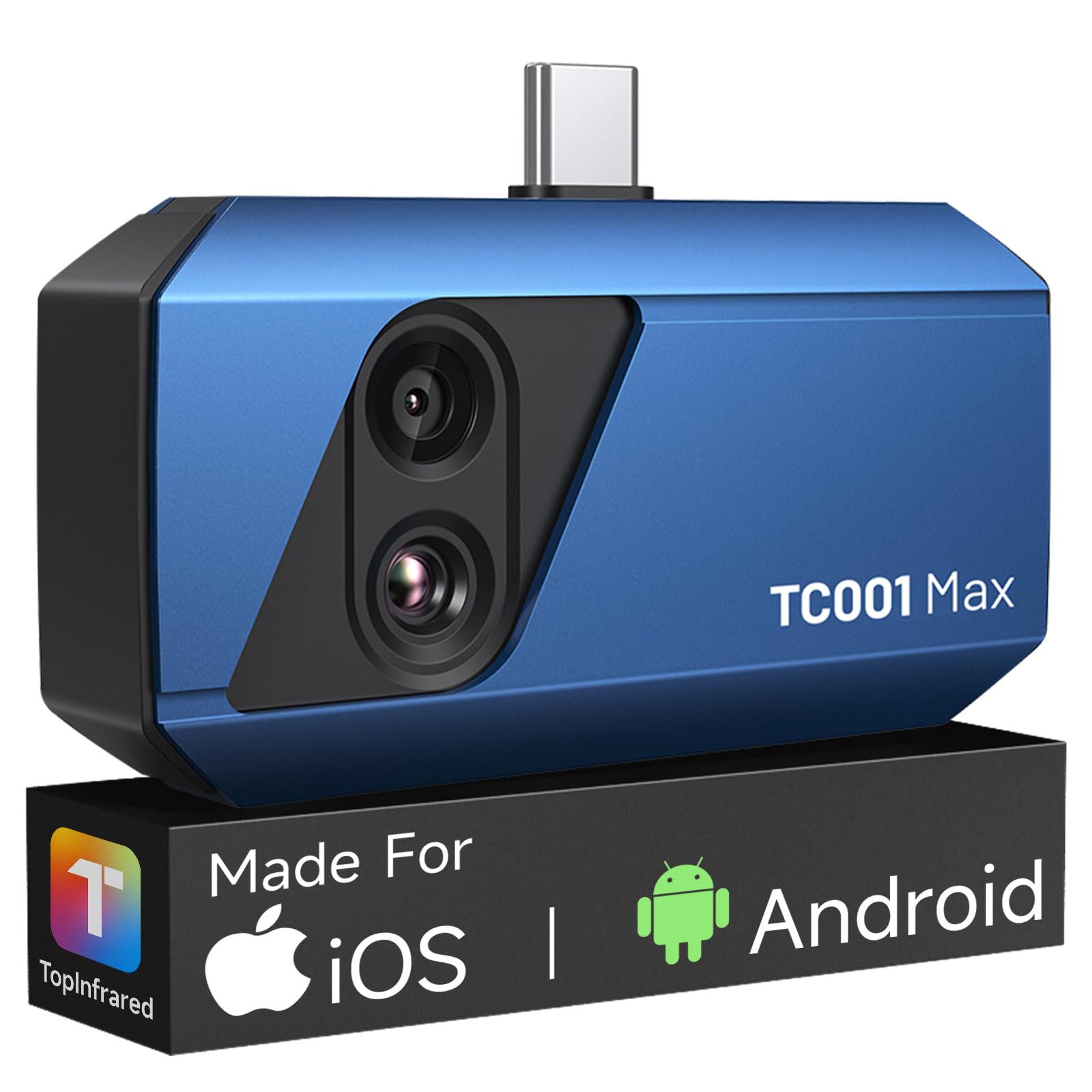
Figure 1: The TOPDON TC001 Max Thermal Camera connected to a smartphone, demonstrating its compact size and direct connectivity.
3. පිහිටුවීම
3.1 යෙදුම් ස්ථාපනය
- Android/iOS සඳහා: ඒ සඳහා සොයන්න "TopInfrared" or "TopView" in your device's app store (Google Play Store for Android, Apple App Store for iOS).
- යෙදුම බාගත කර ස්ථාපනය කරන්න.
- වින්ඩෝස් සඳහා: Visit the official TOPDON website to download the compatible Windows software.
3.2 උපාංගය සම්බන්ධ කිරීම
- Ensure the thermal camera is clean and free of debris.
- Select the appropriate adapter (USB-C or Lightning) for your smartphone or tablet.
- Connect the TC001 Max directly to your device's charging port. The device is designed to be case-friendly, allowing connection without removing most phone cases.
- Once connected, launch the "TopInfrared" or "TopView" app. The camera should be automatically detected and ready for use.
- For Windows devices, connect the camera via the provided USB cable and launch the installed software.
Note: The TC001 Max draws power directly from your connected device, requiring no internal batteries or charging.
4. මෙහෙයුම් උපදෙස්
4.1 මූලික මෙහෙයුම
- After connecting the TC001 Max and launching the app, the live thermal feed will appear on your screen.
- Point the camera at the object or area you wish to inspect.
- The app will display real-time temperature readings and a thermal image.
4.2 රූප මාදිලි
The TC001 Max offers three distinct image modes to suit various inspection needs:
- තාපජ රූපය: Displays a pure infrared thermal image, highlighting temperature differences.
- Vision Imaging: Utilizes the 1.5MP visual light camera to provide a standard optical image.
- Fusion Imaging: Combines the thermal and visual images to provide a detailed view with clear contours and temperature overlays, enhancing identification of heat-related issues.
Switch between these modes within the app interface to optimize your view.
4.3 උසස් යෙදුම් විශේෂාංග
The companion app provides powerful tools for analysis and documentation:
- අල්ලා ගැනීම: Take photos and record videos of thermal inspections.
- රූප භ්රමණය: Adjust the orientation of the thermal image for optimal viewing.
- Temperature Data Analysis: Analyze temperature data in 3D, track trends with real-time graphs, and pinpoint specific temperature points.
- වර්ණ පුවරු: Apply multiple color palettes (e.g., Iron, Rainbow, White Hot, Black Hot) to visualize temperature differences more clearly.
- විමෝචන ගැලපුම: Adjust the emissivity setting within the app for more accurate temperature measurements on different materials.
4.4 ක්රමාංකනය
For the most accurate temperature readings, it is crucial to calibrate the camera for the ambient environment. If you move the camera from one environment to another with a significant temperature difference (e.g., from indoors to outdoors in cold weather), perform a recalibration within the app to ensure precise measurements.
5. නඩත්තු කිරීම
5.1 පිරිසිදු කිරීම
- Use the provided microfiber cloth to gently clean the lenses of the thermal camera.
- Do not use abrasive cleaners, solvents, or harsh chemicals, as these can damage the lenses or casing.
- Keep the USB connector free from dust and debris.
5.2 ගබඩා කිරීම
- When not in use, store the TC001 Max in its protective carry case to prevent damage.
- සෘජු හිරු එළියෙන් සහ අධික උෂ්ණත්වයන්ගෙන් ඈත්ව සිසිල් වියළි ස්ථානයක ගබඩා කරන්න.
6. දෝශ නිරාකරණය
| ගැටලුව | විය හැකි හේතුව | විසඳුම |
|---|---|---|
| උපාංගය/යෙදුම මගින් කැමරාව අනාවරණය කර නොගන්නා ලදී. | Loose connection, incorrect adapter, app not launched, device not compatible. |
|
| සාවද්ය උෂ්ණත්ව කියවීම්. | Incorrect emissivity setting, lack of calibration, environmental factors. |
|
| යෙදුම බිඳ වැටේ හෝ කැටි වේ. | Software bug, insufficient device resources, outdated app version. |
|
If you encounter issues not listed here or require further assistance, please contact TOPDON customer support.
7. පිරිවිතර
| විශේෂාංගය | විස්තර |
|---|---|
| ආදර්ශ අංකය | TC001 Max |
| අධෝරක්ත විභේදනය | 256 x 192 (Enhanced to 512 x 384 with TISR) |
| දෘශ්ය කැමරා විභේදනය | 1.5 MP |
| උෂ්ණත්ව පරාසය | -4°F සිට 1022°F (-20°C සිට 550°C) |
| NETD | ≤40mK |
| Refresh Rate | 25Hz |
| Product Dimensions (Device) | 7.1 × 4.2 cm (2.8 × 1.65 inches) |
| නිෂ්පාදන මානයන් (ඇසුරුම්) | අඟල් 3.94 x 1.97 x 5.51 |
| Item Weight (Device) | ග්රෑම් 33 (අවුන්ස 1.16) |
| අයිතමයේ බර (ඇසුරුම්) | අවුන්ස 7.7 කි |
| ගැළපුම | USB-C iPhone, iPad, Android, Windows devices |
| බලශක්ති ප්රභවය | Device powered (no internal battery) |
8. වගකීම් සහ සහාය
8.1 වගකීම් තොරතුරු
TOPDON products are manufactured to high-quality standards. For detailed warranty terms and conditions, please refer to the warranty card included with your product or visit the official TOPDON webවෙබ් අඩවිය. වගකීම් හිමිකම් සඳහා මිලදී ගැනීමේ සාක්ෂියක් ලෙස ඔබේ මිලදී ගැනීමේ රිසිට්පත තබා ගන්න.
8.2 පාරිභෝගික සහාය
If you have any questions, require technical assistance, or need to report an issue with your TOPDON TC001 Max, please contact TOPDON customer support. Contact information can typically be found on the official TOPDON webනිෂ්පාදන ඇසුරුම් අඩවිය හෝ ඇතුළත.
Official TOPDON Webඅඩවිය: www.topdon.com


