1. හැඳින්වීම
The MOVA LiDAX Ultra 800 is an advanced robotic lawnmower designed to provide effortless and precise lawn maintenance for areas up to 800 m². Featuring innovative 360° 3D LiDAR and AI Vision technology, it offers automatic mapping without the need for perimeter wires or RTK stations. This manual provides essential information for the safe and efficient operation, setup, and maintenance of your LiDAX Ultra 800.
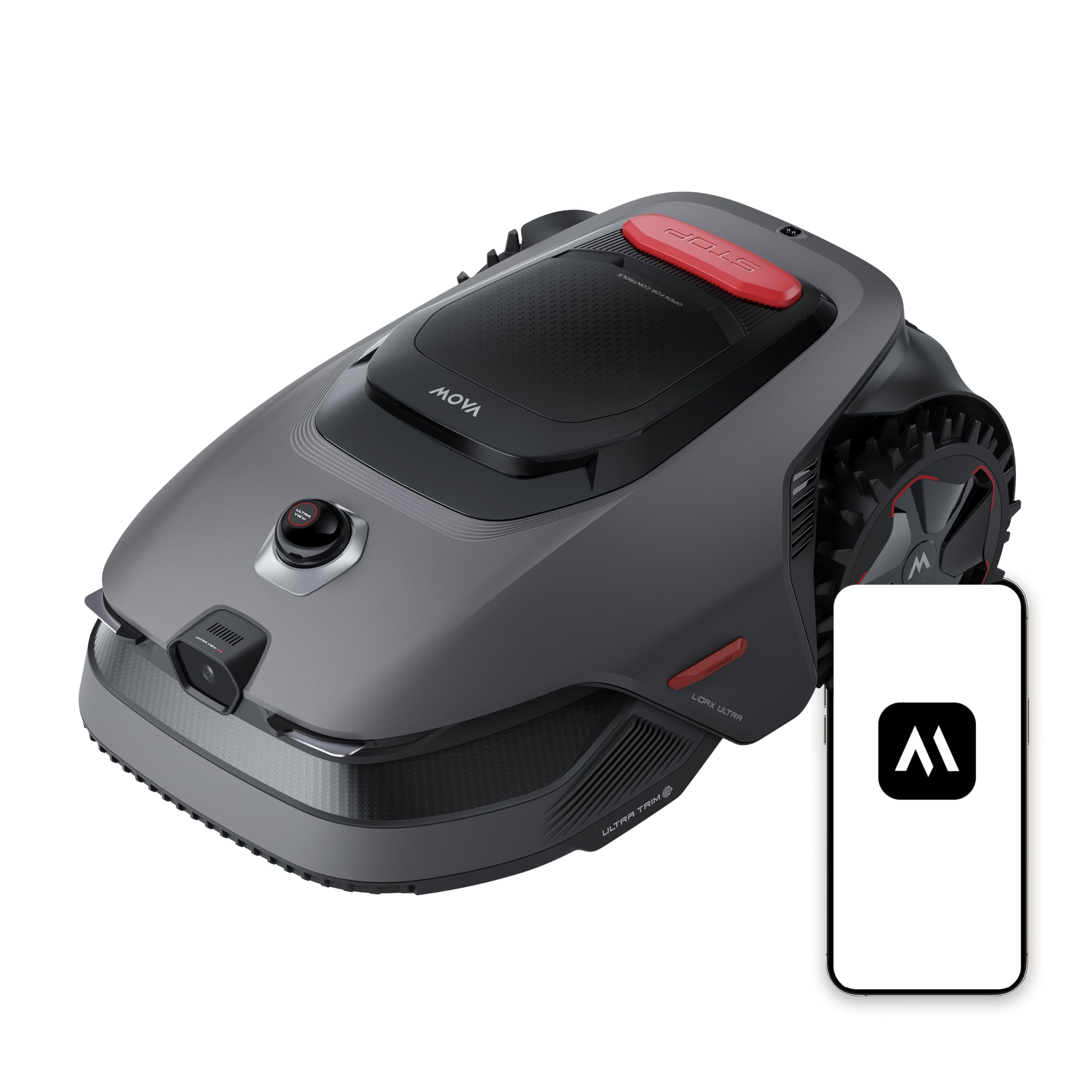
Figure 1.1: MOVA LiDAX Ultra 800 Robot Lawnmower
2 ප්රධාන ලක්ෂණ
- Wireless Setup & AI Mapping: Utilizes 360° 3D LiDAR and AI Vision for automatic, centimeter-accurate garden mapping without perimeter wires or RTK stations, even in complex layouts or varying light conditions.
- Precision Edge Cutting: The UltraTrim 1.0 system cuts within 5 cm of walls, hedges, and raised borders. Its movable disc reaches inaccessible spots, ensuring clean and precise cuts, even when transitioning between lawn and paving.
- AI Obstacle Detection: Advanced 3D point cloud data and AI vision enable detection and avoidance of over 300 types of obstacles, from large outdoor furniture to small garden items, ensuring safety for family and pets.
- සර්ව-භූමික හැකියාව: Rear-wheel drive and off-road wheels provide strong grip, allowing the mower to handle slopes up to 45% and overcome obstacles up to 4 cm high and small holes with ease.
- Efficient U-Path Mowing: The LiDAX Ultra series mows every centimeter of your lawn using a U-path planning, ensuring uniform and precise cuts. It automatically returns to the charging station when the battery is low and resumes mowing from where it left off.
- බහු කලාප කළමනාකරණය: Manage up to 2 independent maps, ideal for separate front and back gardens or multiple properties. Set custom mowing plans for each zone.
- Anti-Theft & TrueGuard Security: An intelligent security system continuously monitors the environment, detects potential risks, and triggers an alarm if necessary. With an optional connection module, it offers real-time tracking and instant alerts if the robot leaves the mapped area.
- Smart Height Adjustment: Adjust cutting height directly from the MOVAhome app, from 3 to 10 cm, to suit your preferred lawn style.

Figure 2.1: Precision Edge Cutting with UltraTrim 1.0

Figure 2.2: AI Vision for Obstacle Detection

Figure 2.3: Handling Slopes up to 45%
3. පිහිටුවීම
Follow these general steps to set up your MOVA LiDAX Ultra 800:
- Unboxing: Carefully remove all components from the packaging. Verify that all items listed in the package contents are present.
- ආරෝපණ ස්ථානය ස්ථානගත කිරීම: Choose a suitable location for the charging station, preferably in a shaded area with access to a power outlet. Ensure the area around the station is clear for the robot's docking.
- බල සම්බන්ධතාවය: ආරෝපණ මධ්යස්ථානය බල ප්රභවයකට සම්බන්ධ කරන්න.
- මූලික ගාස්තුව: Place the robot on the charging station to fully charge the battery before first use.
- යෙදුම් ස්ථාපනය: Download the MOVAhome app from your smartphone's app store.
- Robot Pairing: Follow the in-app instructions to pair your robot with the app.
- Garden Mapping: Use the app to initiate the automatic mapping process. The robot will navigate your garden to create a 3D map. Define any 'no-go' zones or specific areas within the app.

Figure 3.1: Wireless Setup and AI Mapping Process

Figure 3.2: MOVAhome App for Garden Mapping
4. මෙහෙයුම් උපදෙස්
Once set up, operating your LiDAX Ultra 800 is straightforward:
- ගොයම් කැපීමේ සැසියක් ආරම්භ කිරීම: From the MOVAhome app, select the desired mowing area and press 'Start'. The robot will begin mowing according to its programmed U-path.
- උපලේඛනගත කිරීම: Set up regular mowing schedules through the app. You can customize schedules for different zones and adapt them to seasonal growth.
- කැපුම් උස සකස් කිරීම: Use the app to digitally adjust the cutting height between 3 cm and 10 cm.
- අතින් පාලනය: For specific areas or quick touch-ups, you can manually control the robot via the app.
- නැවතුම්පොළට ආපසු යන්න: The robot will automatically return to its charging station when its battery is low or a mowing session is complete. You can also command it to return via the app.
- Multi-Zone Operation: If you have multiple mapped zones, select the desired zone for mowing in the app.

Figure 4.1: Efficient U-Path Mowing

Figure 4.2: Smart Height Adjustment via App
5. නඩත්තු කිරීම
Regular maintenance ensures optimal performance and longevity of your robot lawnmower:
- පිරිසිදු කිරීම: Regularly clean the robot's exterior, wheels, and cutting deck. The IPX6 waterproof rating allows for easy rinsing of the exterior and underside. Use the provided brush for cleaning.
- තල ආදේශනය: Inspect the blades regularly for wear and tear. Replace dull or damaged blades to maintain cutting efficiency. Refer to the user manual for detailed instructions on blade replacement.
- නිකුතු පොල: Keep the charging station area clean and free from debris to ensure proper docking and charging.
- මෘදුකාංග යාවත්කාලීන: Ensure the MOVAhome app and robot firmware are updated to the latest versions for improved features and performance.

Figure 5.1: General Maintenance Overview
6. දෝශ නිරාකරණය
If you encounter issues with your MOVA LiDAX Ultra 800, consider the following common solutions:
- Robot Not Starting: Ensure the robot is fully charged and properly docked. Check the app for any error messages.
- Poor Mowing Performance: Inspect the blades for sharpness and damage. Replace if necessary. Ensure the cutting height is set appropriately for your lawn.
- සංචාලන ගැටළු: Verify that the garden map in the app is accurate and up-to-date. Check for any new obstacles that might not be mapped. Ensure strong Wi-Fi signal in the mowing area.
- රොබෝ හිරවෙලා: Clear any debris or obstacles that may be impeding the robot's movement. Check for uneven terrain or holes.
- යෙදුම් සම්බන්ධතා ගැටළු: Ensure your smartphone's Bluetooth and Wi-Fi are enabled. Restart the app and the robot if necessary.
For more detailed troubleshooting, refer to the comprehensive user manual available on the MOVA webවෙබ් අඩවිය හෝ පාරිභෝගික සහාය අමතන්න.
7. පිරිවිතර
| විශේෂාංගය | පිරිවිතර |
|---|---|
| ආදර්ශ අංකය | MXXM2100 |
| නිෂ්පාදන මානයන් | 65.86 x 29.41 x 43.92 සෙ.මී |
| අයිතමයේ බර | කිලෝ ග්රෑම් 13.8 කි |
| බලශක්ති ප්රභවය | බැටරි බලයෙන් |
| නිර්දේශිත ප්රදේශය | 800 m² දක්වා |
| කැපුම් පළල | 5 cm (edge cutting) |
| සකස් කළ හැකි කැපුම් උස | 3 - 10 සෙ.මී. |
| මෙහෙයුම් ආකාරය | ස්වයංක්රීය |
| උපරිම බෑවුම | 45% |
| බාධක නිෂ්කාශනය | 4 දක්වා සෙ.මී |
| එකලස් කිරීම අවශ්ය වේ | නැත |
8. පැකේජ අන්තර්ගතය
The MOVA LiDAX Ultra 800 package typically includes the following items:
- Robot Lawnmower (x1)
- Charging Station / Base Plate (x1)
- බල ඇඩැප්ටරය (x1)
- ඉක්මන් මාර්ගෝපදේශය (x1)
- පරිශීලක අත්පොත (x1)
- ඉස්කුරුප්පු නියනක් (x1)
- පිරිසිදු කිරීමේ බුරුසුව (x1)
- Replacement Blades / Screws (x9 / x9)
- Screws / Hex Key (x8 / x1)
- Lint-Free Cloth (x1)

Figure 8.1: Included Accessories and Components
9. නිෂ්පාදන වීඩියෝව අවසන්view
දෘශ්ය විවරණයක් සඳහා මෙම නිල නිෂ්පාදන වීඩියෝව නරඹන්නview of the MOVA LiDAX Ultra 800's features and operation.
Video 9.1: MOVA LiDAX Ultra 800 Product Overview
10. වගකීම් සහ සහාය
For warranty information, technical support, or to purchase replacement parts, please visit the official Mova webවෙබ් අඩවියට පිවිසෙන්න හෝ ඔබේ ප්රදේශයේ සිල්ලර වෙළෙන්දා අමතන්න. වගකීම් හිමිකම් සඳහා ඔබේ මිලදී ගැනීමේ සාක්ෂි තබා ගන්න.
සබැඳි සම්පත්: Amazon හි Mova නිල වෙළඳසැල


