1. හැඳින්වීම
This manual provides instructions for the installation, operation, and maintenance of your Swann 8-Channel 1080p Surveillance Kit. This system is designed to provide high-definition video surveillance for your property, featuring an 8-channel Digital Video Recorder (DVR) and four 1080p cameras.
2. පැකේජ අන්තර්ගතය
කරුණාකර ඔබේ පැකේජයේ අන්තර්ගතය පරීක්ෂා කරන්න. කිසියම් අයිතමයක් අස්ථානගත වී හෝ හානි වී ඇත්නම්, ඔබේ සිල්ලර වෙළෙන්දා අමතන්න.
- Swann 8-Channel 1080p DVR with 1TB Hard Drive
- 4 x 1080p නිරීක්ෂණ කැමරා
- Power Adapters for DVR and Cameras
- Video Cables for Cameras
- HDMI කේබලය
- ඊතර්නෙට් කේබලය
- USB මූසිකය
- සවි කරන ඉස්කුරුප්පු සහ ප්ලග්
- ඉක්මන් ආරම්භක මාර්ගෝපදේශය
3. නිෂ්පාදන අවසන්view
3.1 Digital Video Recorder (DVR)
The DVR is the central unit for recording, storing, and managing video footage from your cameras. It features 8 channels for connecting up to 8 cameras and a pre-installed 1TB hard drive for continuous recording.
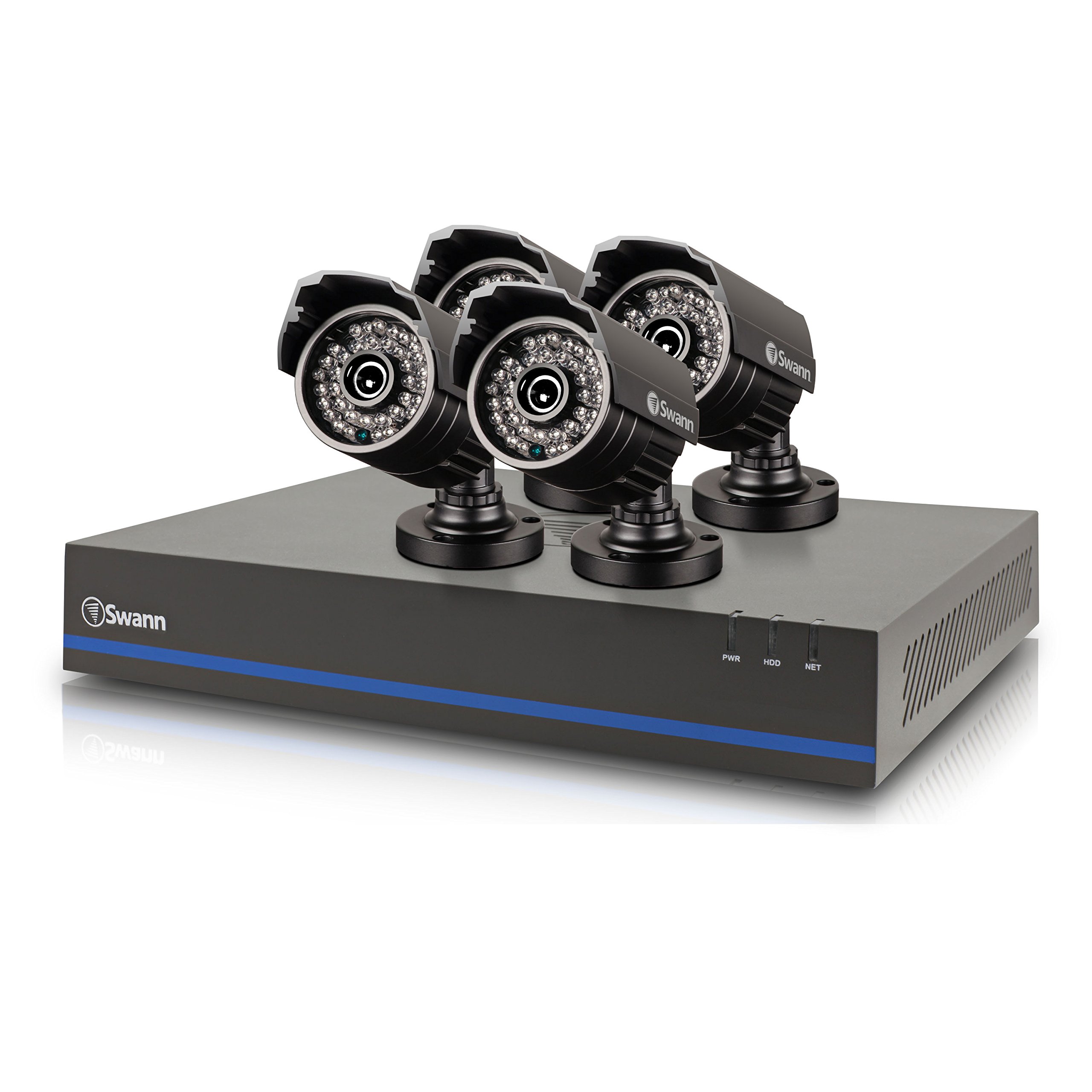
Image 1: Swann 8-Channel DVR (Angled View). This image shows the DVR unit from an angle, highlighting its compact design and front panel indicators.
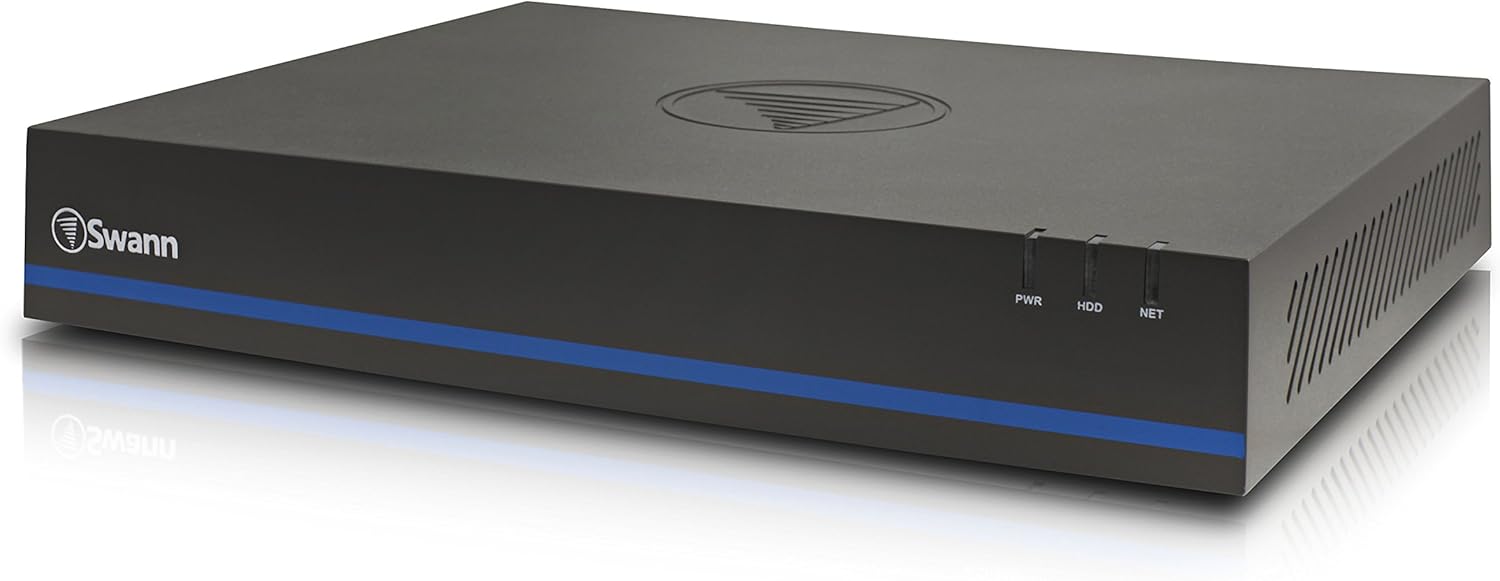
Image 2: Swann 8-Channel DVR (Front View). This image displays the front of the DVR, showing the PWR, HDD, and NET indicator lights.
3.2 Surveillance Cameras
The kit includes four 1080p cameras designed for both indoor and outdoor use. They provide crystal-clear 1920 x 1080 pixel video and are equipped with IR-cut filters for powerful night vision up to 100 feet (30 meters). The cameras have an IP66 weather-resistant rating.
4. පිහිටුවීම
4.1 දෘඪාංග ස්ථාපනය
- Positioning the DVR: Place the DVR in a secure, well-ventilated area, away from direct sunlight and moisture.
- සම්බන්ධක කැමරා: Connect each camera to an available video input port on the DVR using the provided video cables. Ensure connections are secure.
- Powering Cameras: Connect the camera power adapters to the cameras and then to a power outlet.
- Connecting to a Monitor: Connect the DVR to a monitor (e.g., HDTV, LCD screen) using the HDMI or VGA cable.
- මූසිකය සම්බන්ධ කිරීම: USB මූසිකය DVR එකේ USB පෝට් එකකට සම්බන්ධ කරන්න.
- ජාල සම්බන්ධතාවය (විකල්ප නමුත් නිර්දේශිත): Connect an Ethernet cable from the DVR to your router for remote viewing හැකියාවන්.
- Powering the DVR: DVR බල ඇඩැප්ටරය DVR වෙත සම්බන්ධ කර පසුව බල අලෙවිසැලකට සම්බන්ධ කරන්න. DVR ස්වයංක්රීයව ක්රියාත්මක වේ.
4.2 මූලික මෘදුකාංග වින්යාසය
Upon first power-on, the DVR will guide you through an initial setup wizard. Follow the on-screen prompts to:
- Set up a password for the administrator account.
- දිනය සහ වේලාව සැකසීම් වින්යාස කරන්න.
- Adjust video output resolution.
- Perform a software update if prompted. (Note: Some users have reported needing to manually check for updates.)
- Configure network settings (if connected to a router).
4.3 ජංගම යෙදුම් සැකසුම
දුරස්ථ සඳහා viewing on your smartphone or tablet (iOS/Android), download the ස්වන්View ප්ලස් app from your device's app store. (Note: The older SwannView app is not compatible with this system.) Follow the in-app instructions to add your DVR using its unique ID or QR code.
5. පද්ධතිය ක්රියාත්මක කිරීම
5.1 සජීවී Viewing
පද්ධතිය සැකසූ පසු, ඔබට view සජීවී footage from all connected cameras on your monitor or via the SwannView Plus mobile app. Use the USB mouse to navigate the DVR's on-screen interface.
5.2 පටිගත කිරීම
The DVR supports various recording modes:
- අඛණ්ඩ පටිගත කිරීම: Records 24/7, overwriting older footage දෘඪ තැටිය පිරී ඇති විට.
- චලන අනාවරණය පටිගත කිරීම: Records only when motion is detected by a camera. Sensitivity and recording schedules can be configured.
- උපලේඛනගත පටිගත කිරීම: Records during specific times of the day or week.
Access the DVR's menu to configure recording settings for each camera.
5.3 නැවත ධාවනය
නැවත කිරීමටview වාර්තාගත footage:
- Access the DVR's main menu and select the 'Playback' option.
- Choose the date and time range you wish to review.
- Select the camera(s) whose footagඊ ඔබට අවශ්ය view.
- foo හරහා සැරිසැරීමට නැවත ධාවනය කිරීමේ පාලන (වාදනය, විරාමය, වේගයෙන් ඉදිරියට, ආපසු හැරවීම) භාවිතා කරන්න.tage.
You can also transfer incident video to external storage via USB or network.
5.4 දුරස්ථ ප්රවේශය
The SwannView Plus app allows you to:
- View live camera feeds from anywhere with an internet connection.
- පටිගත කළ ෆු නැවත ධාවනය කරන්නtage.
- Receive push notifications for motion detection events.
Ensure your DVR is connected to the internet and the app is correctly configured.
6. නඩත්තු කිරීම
- නිතිපතා පිරිසිදු කිරීම: ප්රශස්ත රූප පැහැදිලිකම සඳහා කැමරා කාච පිරිසිදුව තබා ගන්න. මෘදු, d කාචයක් භාවිතා කරන්නamp රෙදි.
- DVR Ventilation: Ensure the DVR's ventilation openings are clear to prevent overheating.
- ස්ථිරාංග යාවත්කාලීන කිරීම්: Periodically check the Swann support website for firmware updates for your DVR to ensure optimal performance and security.
- දෘඪ තැටි කළමනාකරණය: 1TB දෘඪ තැටිය පැරණිතම foo එක ස්වයංක්රීයව උඩින් ලියයි.tage when full. Back up important footagනිතිපතා.
7. දෝශ නිරාකරණය
| ගැටලුව | විය හැකි හේතුව | විසඳුම |
|---|---|---|
| No video on monitor | Loose cable connection, incorrect input source on monitor, DVR not powered on. | HDMI/VGA කේබල් සම්බන්ධතා පරීක්ෂා කරන්න. මොනිටරය නිවැරදි ආදානයේ ඇති බව සහතික කර ගන්න. DVR බලය සත්යාපනය කරන්න. |
| දුරස්ථ පාලකයක් නැත viewයෙදුම හරහා ing | DVR not connected to network, incorrect app (SwannView Link vs. SwannView Plus), network configuration issues. | Ensure DVR is connected to router. Confirm you are using the ස්වන්View ප්ලස් app. Check DVR network settings. |
| දුර්වල රාත්රී දර්ශනයේ ගුණාත්මකභාවය | Obstructions in front of camera, camera too far from subject, IR lights blocked. | Clear obstructions. Ensure camera is within 82 feet (25 meters) of the area of interest. |
| DVR making loud humming noise | Normal operation of internal fan/hard drive, poor ventilation. | Ensure adequate ventilation around the DVR. If noise is excessive, contact support. |
| False motion alerts (e.g., from insects) | High motion sensitivity, insects near camera at night. | Adjust motion detection sensitivity in DVR settings. Consider scheduling email alerts to avoid notifications during specific times. |
8. පිරිවිතර
- වෙළඳ නාමය: ස්වන්
- ආදර්ශ අංකය: LYSB01LG2GSMY-ELECTRNCS
- සම්බන්ධතා තාක්ෂණය: රැහැන්ගත
- වීඩියෝ ග්රහණ විභේදනය: 1080p
- විශේෂ ලක්ෂණ: චලන සංවේදකය, රාත්රී දර්ශනය
- නාලිකා ගණන: 8
- මතක ගබඩා ධාරිතාව: 1 TB (දෘඪ තැටිය)
- බලශක්ති ප්රභවය: රැහැන්ගත විදුලි
- අයිතම මානයන් (L x W x H): අඟල් 16.5 x 12.6 x 8.3
- මෙහෙයුම් පද්ධති අනුකූලතාව: Android, iOS (for mobile app)
- නිර්දේශිත භාවිතයන්: Indoor, Outdoor Surveillance
- රාත්රී දර්ශන පරාසය: අඩි 82 (මීටර් 25) දක්වා
- Viewකෝණය: අංශක 90
- අයිතමයේ බර: රාත්තල් 12.8 කි
- UPC: 840236117031
9. වගකීම් සහ සහාය
For warranty information and technical support, please refer to the documentation included with your product or visit the official Swann webවෙබ් අඩවිය. වගකීම් හිමිකම් සඳහා මිලදී ගැනීමේ සාක්ෂියක් ලෙස ඔබේ මිලදී ගැනීමේ රිසිට්පත තබා ගන්න.
සබැඳි සම්පත්:
- Swann Official Webඅඩවිය: www.swann.com
- Product Support Page: Refer to the Swann website for specific support pages related to your model.


