1. හැඳින්වීම
Thank you for choosing the comiso M11 Wearable Bluetooth Speaker. This manual provides essential information for setting up, operating, and maintaining your speaker. The M11 is designed for portability and convenience, featuring IPX7 waterproofing, Bluetooth 6.0 connectivity, and a built-in microphone for hands-free calls.
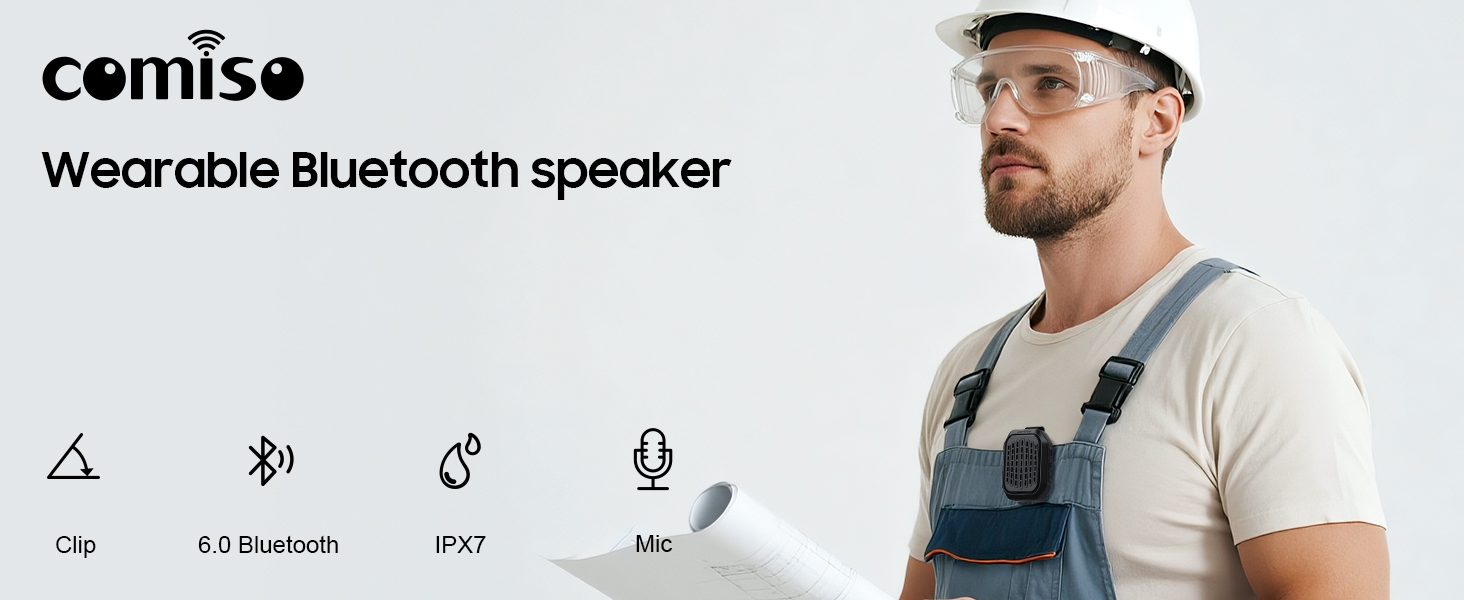
රූපය 1.1: ඉවරයිview of the comiso M11 speaker highlighting its key features: clip-on design, Bluetooth 6.0, IPX7 waterproof rating, and built-in microphone.
2. පැකේජ අන්තර්ගතය
කරුණාකර පහත අයිතම සඳහා පැකේජය පරීක්ෂා කරන්න:
- 1 x comiso M11 Wearable Bluetooth Speaker
- 1 x USB-C ආරෝපණ කේබලය
- 1 x Lanyard
- 1 x පරිශීලක අත්පොත (මෙම ලේඛනය)
3. නිෂ්පාදන අවසන්view
The comiso M11 speaker features a compact design with a durable clip for easy attachment. Familiarize yourself with the speaker's components:
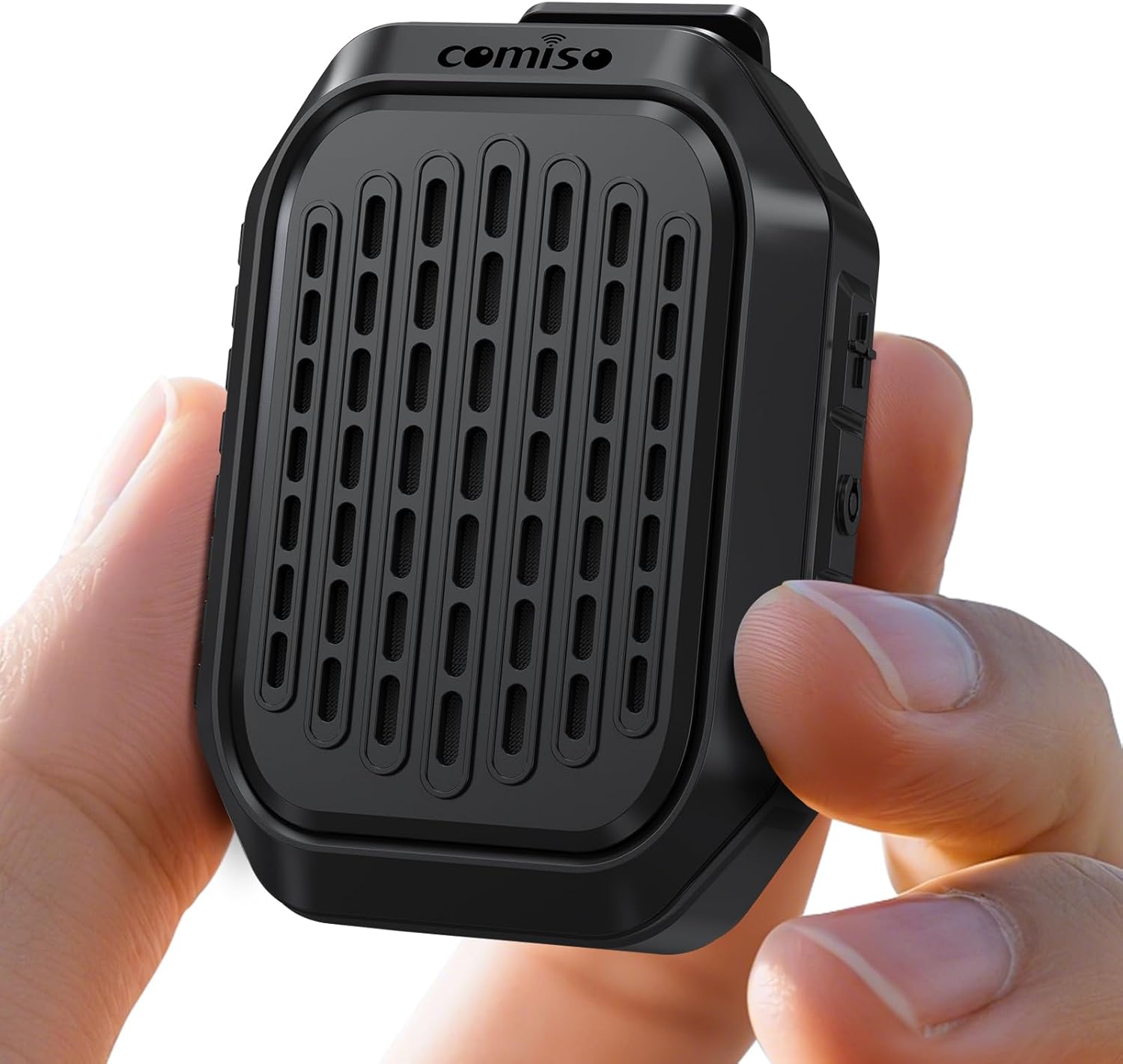
Image 3.1: The comiso M11 speaker, demonstrating its small, portable form factor when held in a hand.
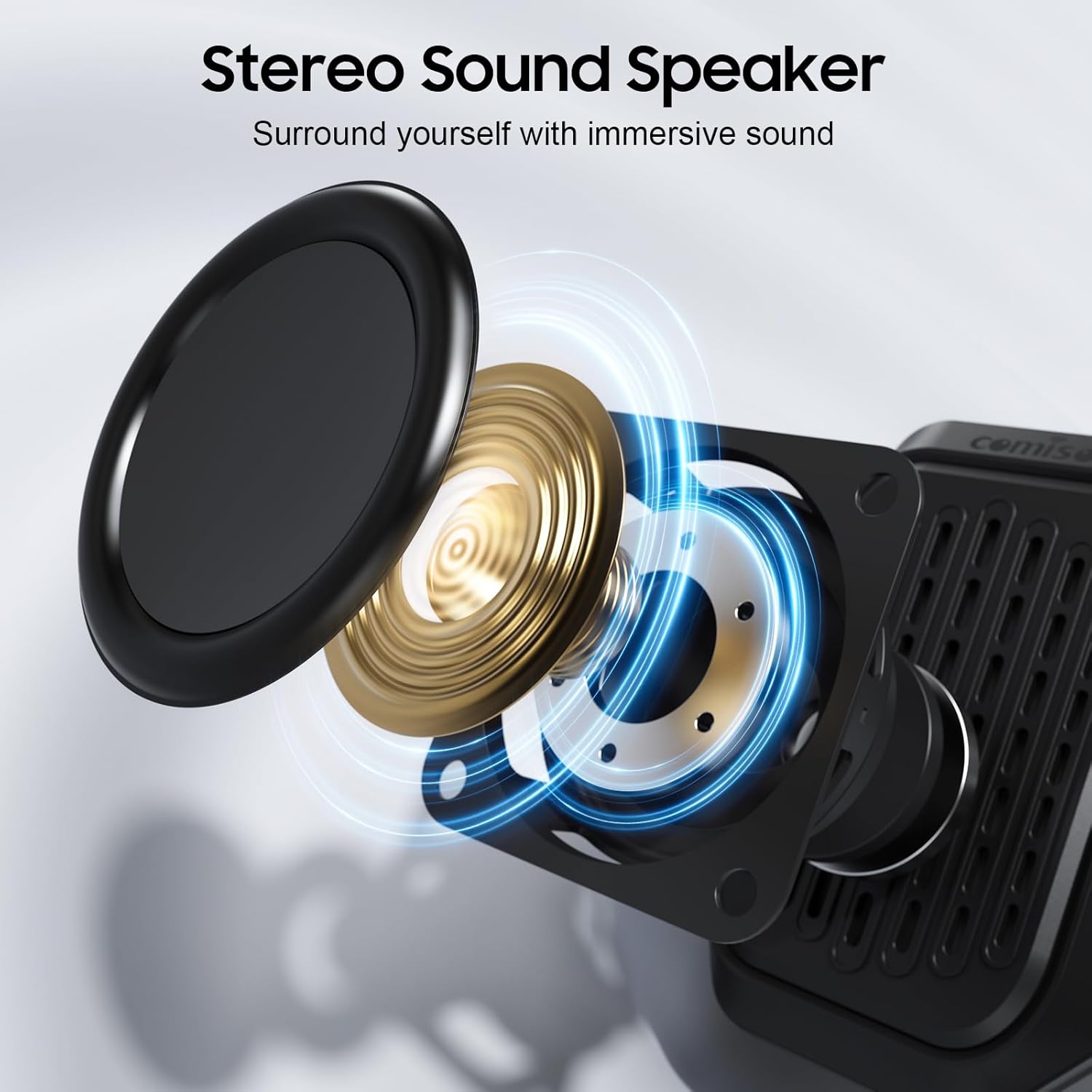
Image 3.2: An exploded diagram illustrating the internal components of the speaker, including the sound driver, designed for stereo sound output.
4. පිහිටුවීම
4.1 කථිකයා ආරෝපණය කිරීම
Before first use, fully charge your comiso M11 speaker. Use the included USB-C cable to connect the speaker to a compatible USB power source (e.g., wall adapter, computer USB port).
- ආරෝපණය කිරීමේදී ආරෝපණ දර්ශක ආලෝකය දැල්වෙනු ඇත.
- A full charge provides over 10 hours of playtime at 50% volume.
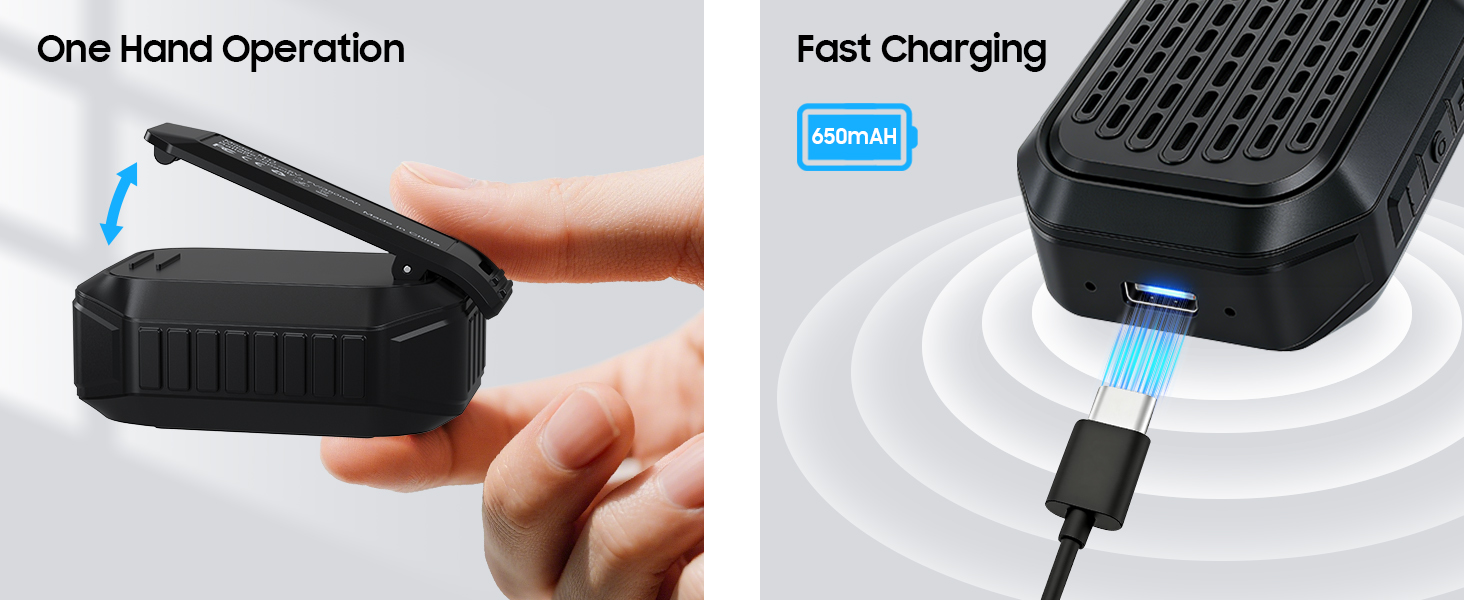
Image 4.1: The speaker's USB-C port connected for fast charging, alongside an illustration of its one-hand operable clip.
4.2 බ්ලූටූත් යුගල කිරීම
ඔබගේ ස්පීකරය බ්ලූටූත් සක්රීය උපාංගයකට සම්බන්ධ කිරීමට:
- ස්පීකරය ආරෝපණය කර බලගන්වා ඇති බව සහතික කර ගන්න.
- ඔබගේ ස්මාර්ට් ජංගම දුරකථනයේ හෝ වෙනත් උපාංගයක බ්ලූටූත් සක්රිය කරන්න.
- ඒ සඳහා සොයන්න available devices and select "M11" from the list.
- Once connected, the speaker will indicate a successful pairing (e.g., an audible tone or LED indicator change).

Image 4.2: A smartphone screen showing the Bluetooth pairing process, with the M11 speaker visible and ready for connection.
5. මෙහෙයුම් උපදෙස්
5.1 බලය සක්රිය / අක්රිය
- බල ගැන්වීමට: බල බොත්තම ඔබාගෙන තත්පර 2ක් පමණ අල්ලාගෙන සිටින්න.
- බලය අක්රිය කිරීමට: බල බොත්තම ඔබාගෙන තත්පර 3ක් පමණ අල්ලාගෙන සිටින්න.
5.2 සංගීත වාදනය
Once connected via Bluetooth, you can control music playback from your device or directly on the speaker (if applicable buttons are present).
- වාදනය/විරාමය: Play/Pause බොත්තම වරක් ඔබන්න.
- පරිමාව: ශබ්දය වැඩි කිරීමේ බොත්තම ඔබන්න.
- ශබ්දය පහළට: ශබ්දය අඩු කිරීමේ බොත්තම ඔබන්න.
- ඊළඟ ධාවන පථය: ශබ්දය වැඩි කිරීමේ බොත්තම ඔබාගෙන සිටින්න.
- පෙර ධාවන පථය: Volume Down බොත්තම ඔබාගෙන සිටින්න.
5.3 හෑන්ඩ්ස්-ෆ්රී ඇමතුම්
සාදන ලද මයික්රෆෝනය පැහැදිලි හෑන්ඩ්ස්-ෆ්රී සන්නිවේදනයකට ඉඩ සලසයි.
- පිළිතුරු ඇමතුම: Press the Play/Pause button once when a call comes in.
- ඇමතුම අවසන් කරන්න: ඇමතුමක් අතරතුර Play/Pause බොත්තම එක් වරක් ඔබන්න.
- ඇමතුම ප්රතික්ෂේප කරන්න: තත්පර 2ක් සඳහා Play/Pause බොත්තම ඔබාගෙන සිටින්න.

Image 5.1: A user demonstrating hands-free calling with the speaker clipped to their clothing, suitable for active environments.
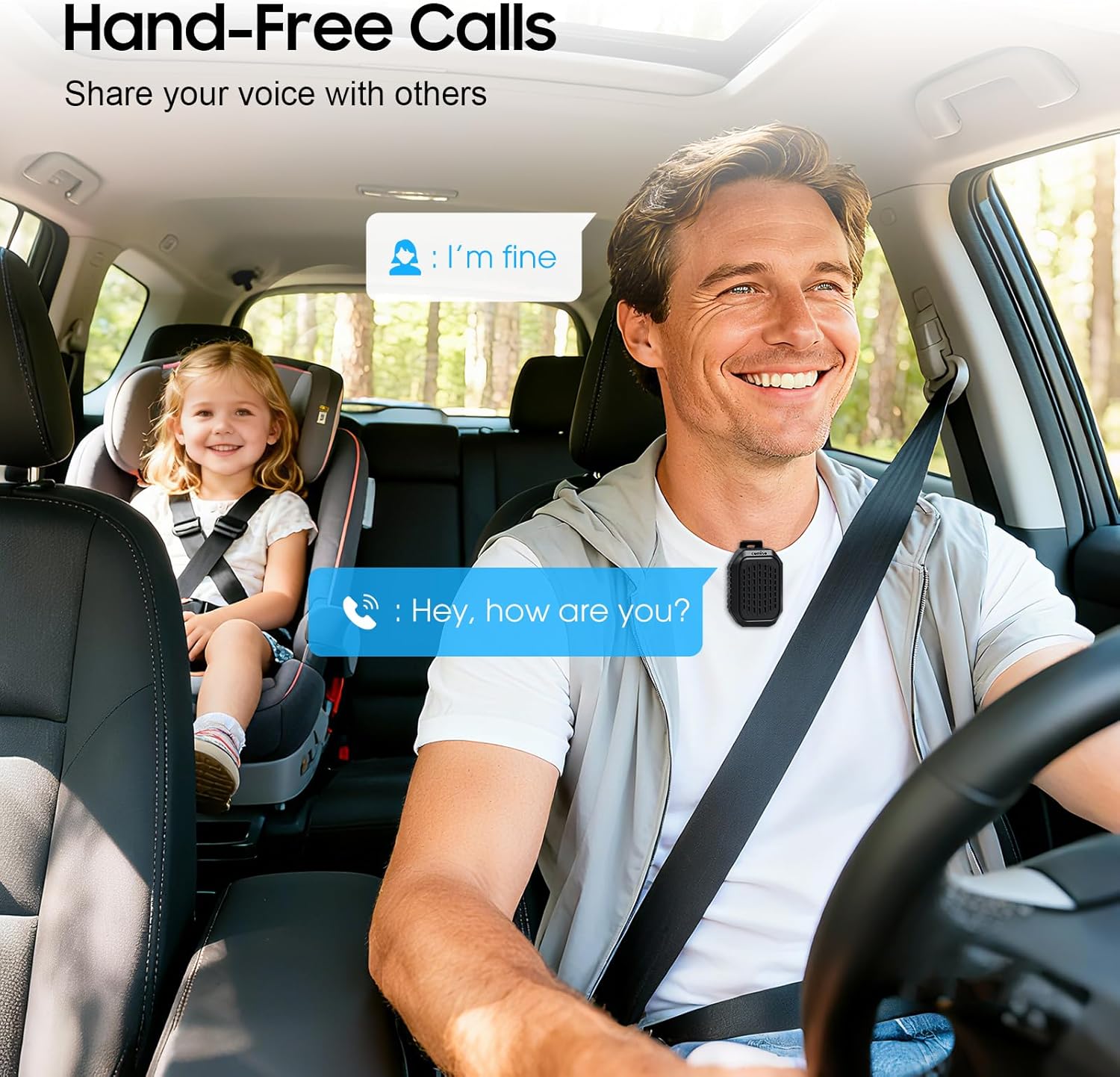
Image 5.2: The speaker facilitating hands-free communication while driving, clipped securely to a seatbelt.
5.4 සත්ය රැහැන් රහිත ස්ටීරියෝ (TWS) යුගලනය
For an enhanced audio experience, you can pair two M11 speakers together to create a stereo sound system.
- Ensure both M11 speakers are powered on and not connected to any other Bluetooth device.
- On either speaker, triple-press the Power button to enter TWS pairing mode.
- කථිකයන් ස්වයංක්රීයව එකිනෙකා සොයමින් සම්බන්ධ වනු ඇත.
- Once paired, connect your device to one of the speakers via Bluetooth as described in Section 4.2.
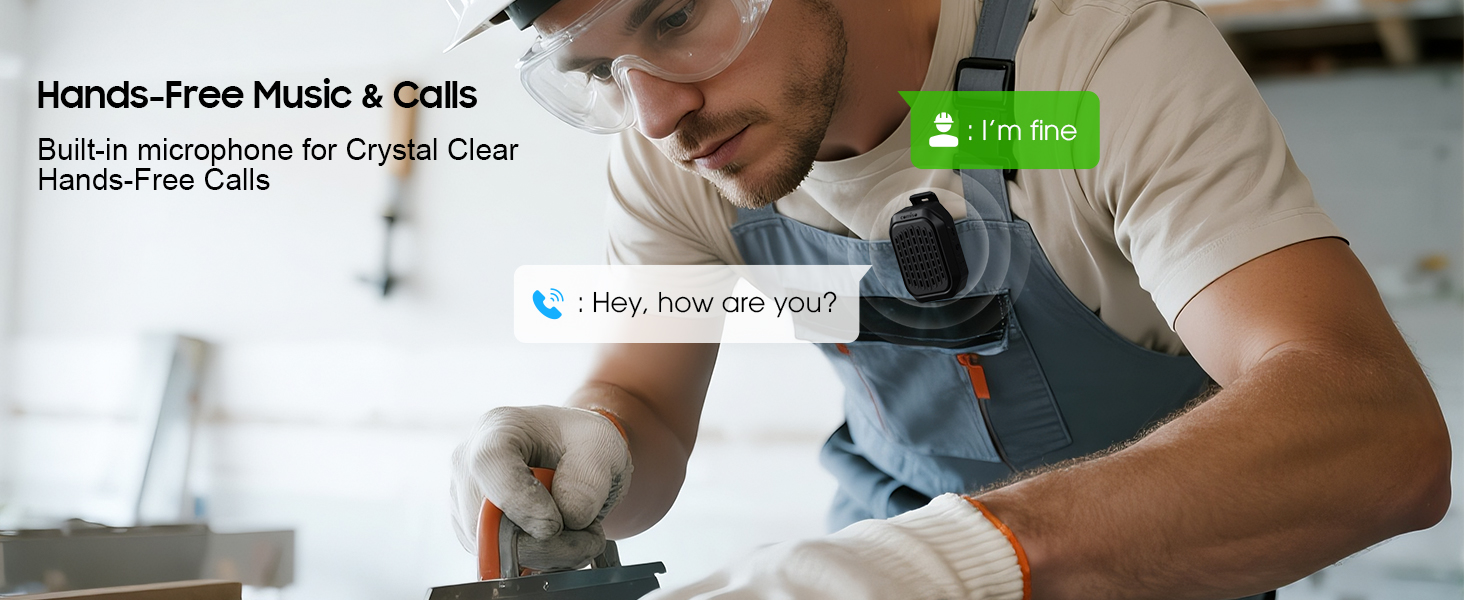
Image 5.3: Two M11 speakers wirelessly connected for a stereo audio experience, enhancing sound immersion.
5.5 Wearing the Speaker
The M11 speaker's anti-slip clip and included lanyard offer versatile wearing options.
- පසුරු කිරීම: Easily attach the speaker to your shirt, backpack strap, belt, or jacket.
- ලැන්යාඩ්: Use the lanyard to hang the speaker on your bag, bike, or car.
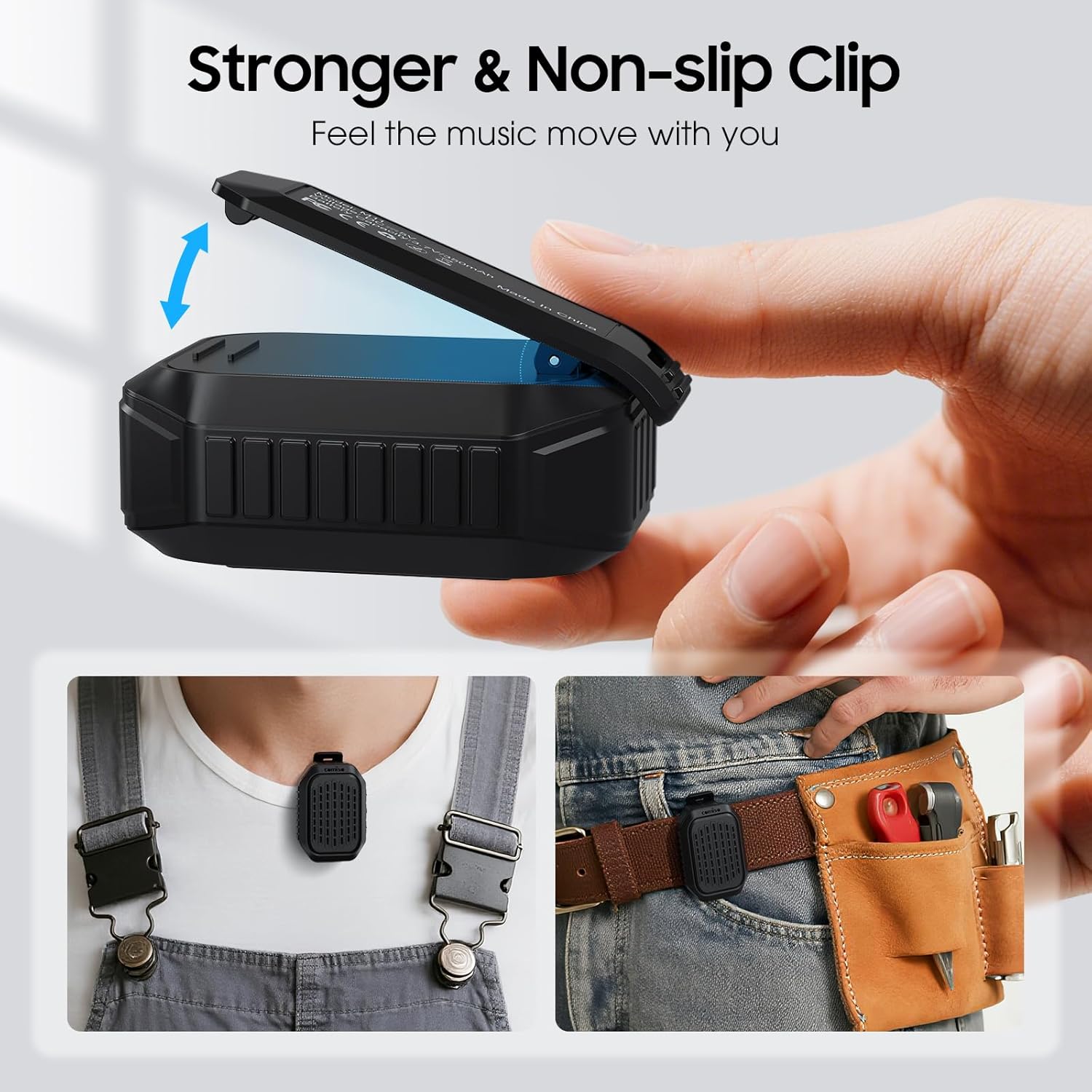
රූපය 5.4: සවිස්තරාත්මක view of the speaker's strong, non-slip clip, designed for secure attachment to various items.
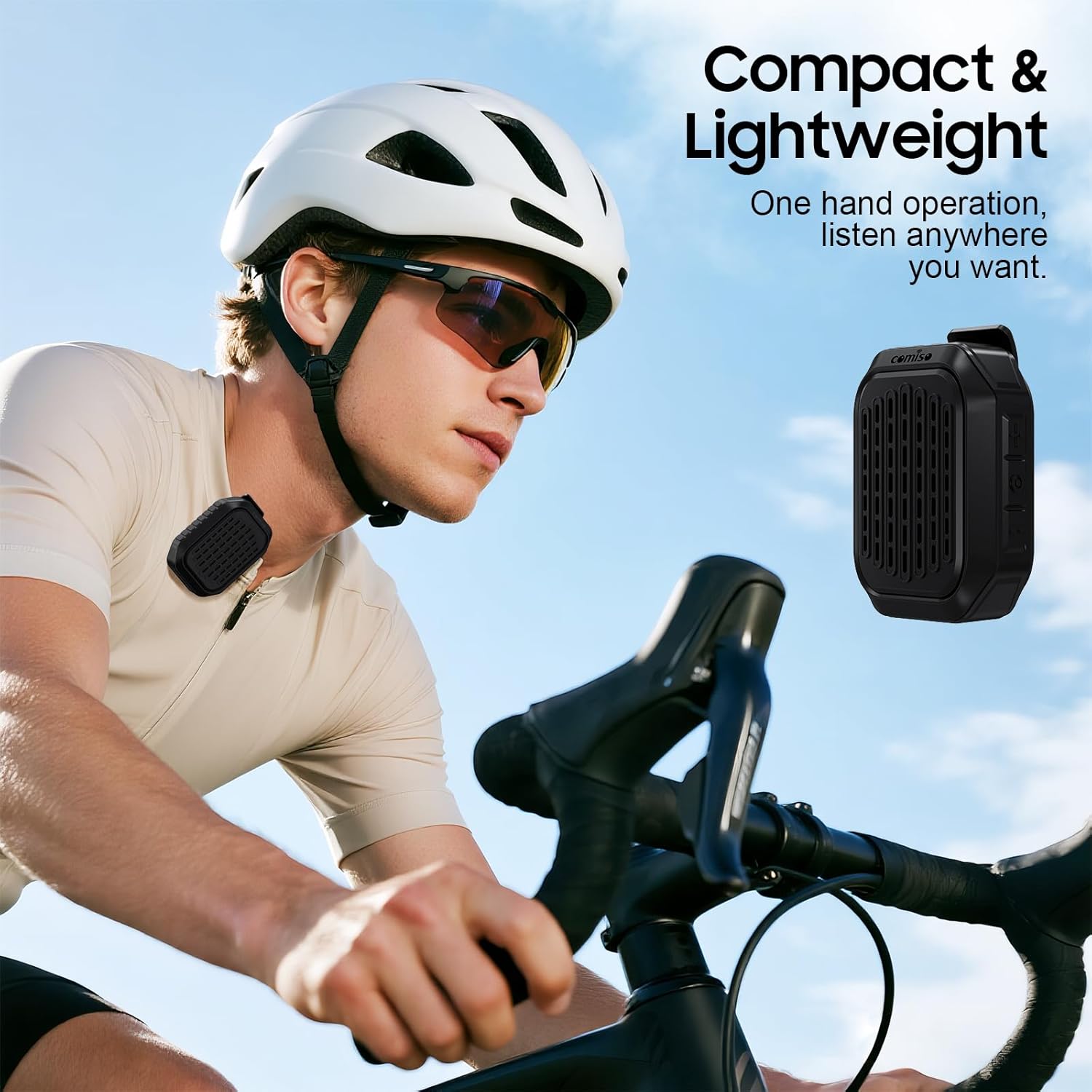
Image 5.5: A cyclist wearing the compact and lightweight speaker, demonstrating its suitability for outdoor activities.
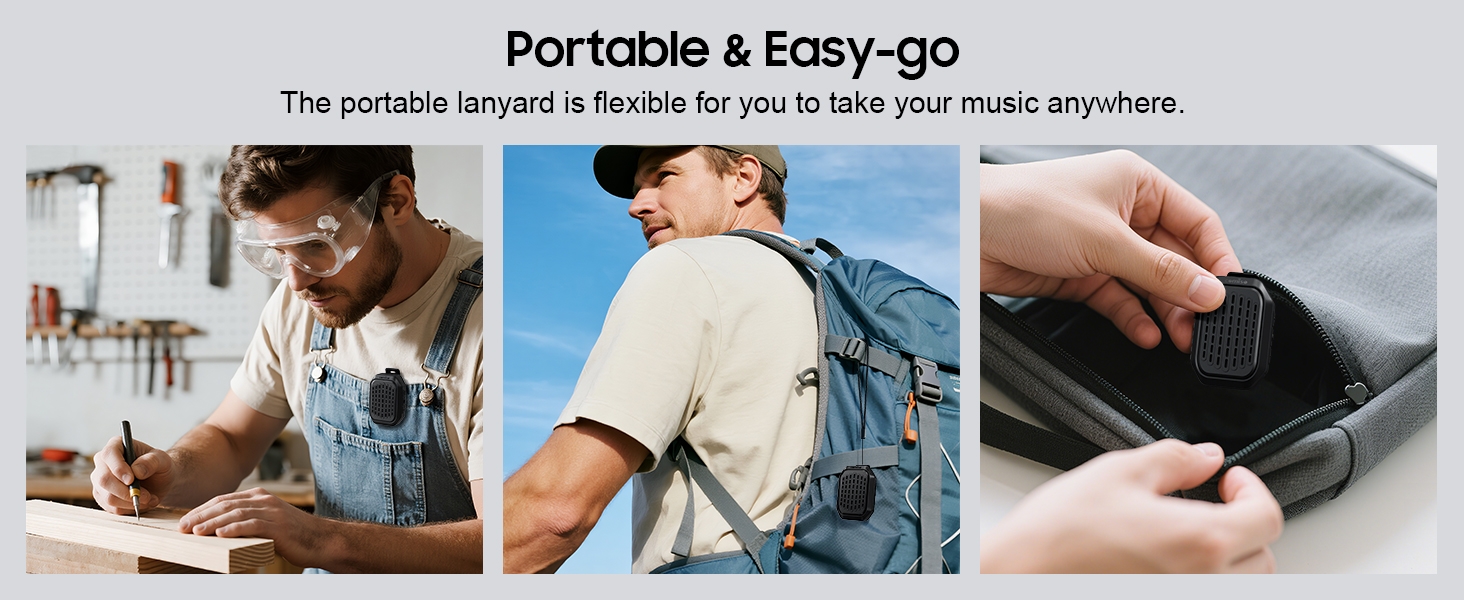
රූපය 5.6: උදාamples of the speaker's portability and ease of use, including being clipped to clothing, a backpack, and stored in a pocket.
6. නඩත්තු කිරීම
6.1 ජල ප්රතිරෝධය (IPX7)
The comiso M11 speaker is IPX7 waterproof, meaning it can be immersed in water up to 1 meter deep for 30 minutes. This makes it suitable for outdoor use and resistant to splashes and rain.
- ස්පීකරය ජලයට නිරාවරණය කිරීමට පෙර ආරෝපණ වරාය කවරය ආරක්ෂිතව වසා ඇති බවට වග බලා ගන්න.
- Do not intentionally submerge the speaker for extended periods or beyond specified depths.
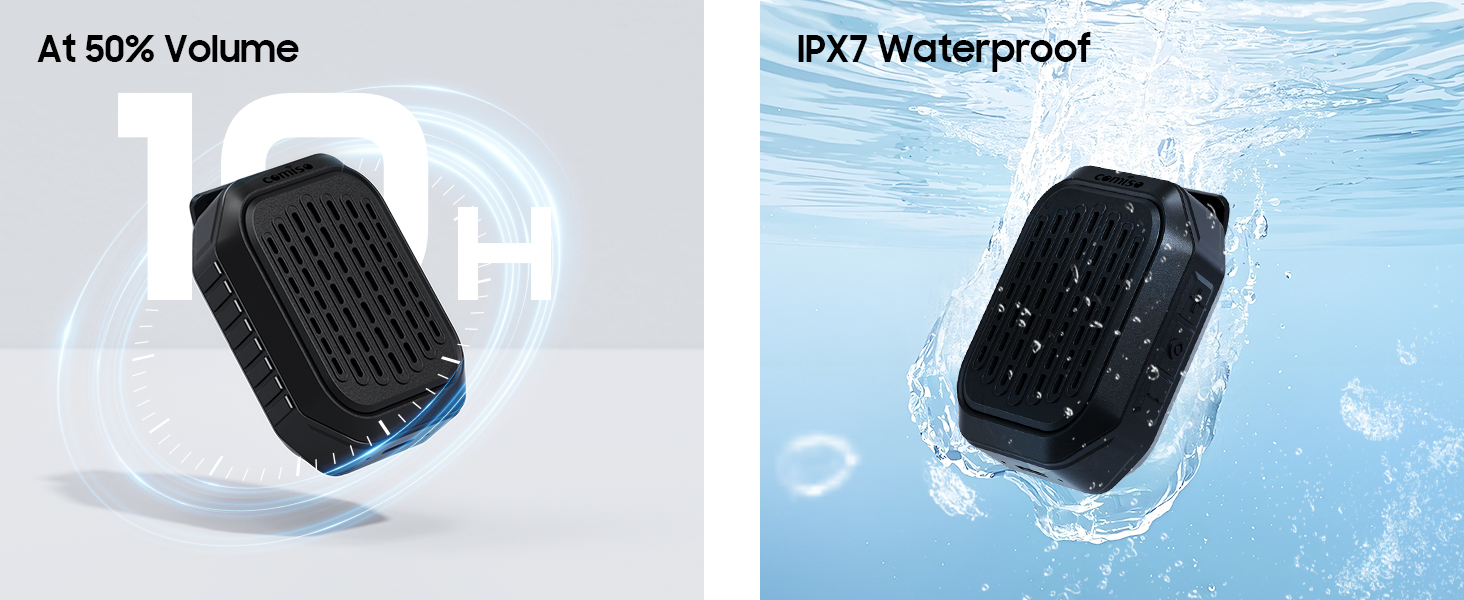
Image 6.1: The speaker submerged in water, illustrating its IPX7 waterproof capability, alongside an indicator of its 10-hour battery life.
6.2 පිරිසිදු කිරීම සහ ගබඩා කිරීම
- ස්පීකරය මෘදු, d බ්රෂ් එකකින් පිරිසිදු කරන්න.amp රෙදි. උල්ෙල්ඛ පිරිසිදු කරන්නන් හෝ ද්රාවණ භාවිතා නොකරන්න.
- අධික උෂ්ණත්වයන්ගෙන් සහ සෘජු හිරු එළියෙන් ඈත්ව සිසිල් වියළි ස්ථානයක ස්පීකරය ගබඩා කරන්න.
- If not used for a long period, charge the speaker at least once every three months to maintain battery health.
7. දෝශ නිරාකරණය
If you encounter issues with your comiso M11 speaker, please refer to the following common solutions:
- ස්පීකරය බලය සක්රිය නොකරයි:
Ensure the speaker is fully charged. Connect it to a power source using the USB-C cable and try again. - බ්ලූටූත් උපාංගය සමඟ යුගල කළ නොහැක:
Make sure the speaker is in pairing mode (check indicator light). Turn off and on Bluetooth on your device. Ensure the speaker is within the 10-meter range. Clear previous Bluetooth connections on your device and try pairing again. - ශබ්දයක් නැත හෝ අඩු පරිමාවක්:
Check the volume levels on both the speaker and your connected device. Ensure the speaker is properly paired. If using TWS, ensure both speakers are connected correctly. - දුර්වල ඇමතුම් ගුණාත්මකභාවය:
Ensure the speaker is close enough for the microphone to pick up your voice clearly. Check for environmental noise interference. - Speaker not charging:
Verify the USB-C cable is securely connected to both the speaker and the power source. Try a different USB-C cable or power adapter.
8. පිරිවිතර
| විශේෂාංගය | විස්තර |
|---|---|
| මාදිලියේ නම | M11 |
| ස්පීකර් වර්ගය | පැළඳිය හැකි බ්ලූටූත් ස්පීකර් |
| බ්ලූටූත් අනුවාදය | 6.0 |
| ස්පීකර් උපරිම නිමැවුම් බලය | වොට් 5 |
| ජල ප්රතිරෝධක මට්ටම | IPX7 (up to 1 meter for 30 minutes) |
| බැටරි ආයු කාලය | Over 10 hours (at 50% volume) |
| ආරෝපණ වරාය | USB-C |
| නිෂ්පාදන මානයන් (D x W x H) | 1.9" x 2.9" x 1.3" |
| අයිතමයේ බර | ග්රෑම් 75 (අවුන්ස 2.65) |
| උපරිම බ්ලූටූත් පරාසය | මීටර් 10 |
| බිල්ට් මයික්රෆෝනය | ඔව් |
| TWS යුගලනය | ඔව් |
9 ආරක්ෂිත තොරතුරු
Please read and follow these safety guidelines to ensure safe operation and prolong the life of your speaker:
- Do not disassemble, repair, or modify the speaker. This may void the warranty and pose safety risks.
- කථිකයා අධික උෂ්ණත්වයන්ගෙන්, සෘජු හිරු එළියෙන් සහ විවෘත ගිනිදැල්වලින් ඈත් කර තබන්න.
- කථිකයා ප්රබල බලපෑම්වලට වැටීමෙන් හෝ යටත් කිරීමෙන් වළකින්න.
- Do not use the speaker while charging in wet conditions.
- දරුවන්ට ළඟා විය නොහැකි ලෙස තබා ගන්න.
- Dispose of the speaker and its battery responsibly according to local regulations.
10. වගකීම් සහ සහාය
For warranty information or technical support, please contact comiso customer service through the retailer where you purchased the product or visit the official comiso website. Please have your model number (M11) and purchase details ready.


